TikTok Shop Live
Had a TikTok Shop live with zero sales? Follow these 9 steps to diagnose what went wrong—from timing and hooks to product setup—and crush your next live session
You planned the stream. You set up the ring light. You pinned the products. You went live for 90 minutes.
- Diagnose your flop by checking peak viewers, average watch time, product clicks, and comment rate — not just the sales column.
- If your live had under 50 unique viewers, you have a discovery problem; fix your algorithm signals before anything else.
- Optimized TikTok Shop lives generate up to 10x more engagement, so iterate on execution rather than assuming the format doesn't work.
- Separate retention problems (under 1-minute watch time) from conversion problems (low product clicks) to apply the right fix.
- Leverage TikTok's 65% YoY GMV growth in live shopping — the algorithm actively wants to surface your stream to buyers.
And then... nothing.
Zero sales. A handful of viewers who drifted in and out like ghosts. Maybe a couple of comments asking if you were a bot. Your TikTok Shop live failed with no sales, and now you're staring at the analytics dashboard wondering what the hell happened.
Take a breath. You're not alone — and you're definitely not done.
Here's the reality: the vast majority of first-time TikTok Shop lives underperform. According to TikTok's own commerce data, live shopping sessions that follow optimized best practices generate up to 10x more engagement than unoptimized ones. That means the gap between a flopped live and a crushing one isn't talent or luck — it's diagnosis and iteration.
This guide is your post-mortem playbook.We're going to walk through the 9 most common reasons TikTok Shop lives fail, give you a forensic framework for figuring out exactly what went wrong with yours, and hand you specific, actionable fixes so your next session generates real revenue.
Let's turn that flop into fuel.
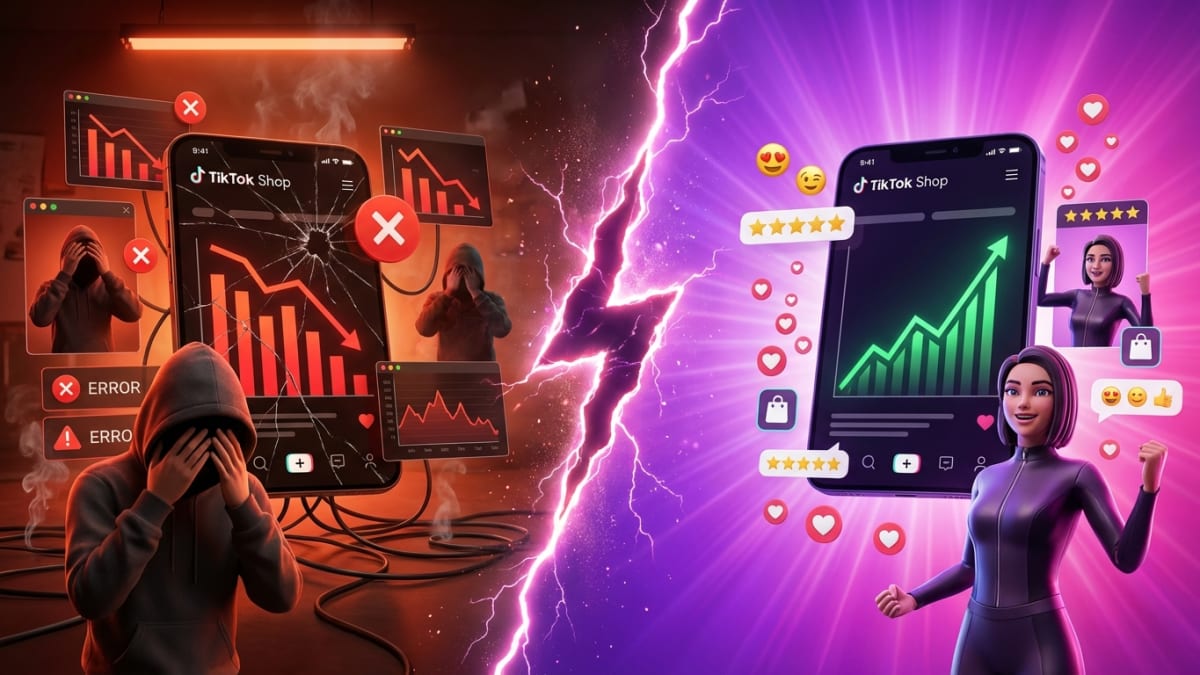
Why Your TikTok Shop Live Flopped (And Why That's Actually Valuable Data)
Before we dig into the 9 steps, let's reframe the situation. A failed TikTok Shop live isn't a verdict — it's a diagnostic event. Every piece of data from that session (viewer count, watch time, drop-off points, comment patterns, cart additions) tells you something specific about what broke.
TikTok's algorithm treats live commerce differently from short-form video. According to research from Statista and TikTok's 2024 commerce reports, live shopping on TikTok saw a 65% increase in GMV year-over-year, with top-performing sessions converting viewers at rates between 5% and 15%.The platform is actively pushing live commerce — the algorithm wants to surface your stream to buyers.
So if your TikTok live is not getting views or sales, the algorithm isn't broken. Something in your execution is sending the wrong signals. Let's find it.
Step 1: Run a Brutally Honest Post-Mortem on Your Stream Data
Pull Every Metric — Not Just Sales
The first mistake sellers make after a flopped live is focusing only on the zero in the sales column. Butgive you a goldmine of diagnostic data:
- Peak concurrent viewers — How many people were watching at your highest point?- Average watch time — Were people staying for 30 seconds or 5 minutes?
- Total unique viewers — Did the algorithm even push your stream?
- Product click-through rate — Did viewers tap on your pinned products?
- Comment rate — Were people engaging, or was it dead silence?
- Follower gain during live — Did you at least build audience even without sales?
The diagnostic framework: If your total unique viewers were under 50, you have a discovery problem (the algorithm didn't push you). If viewers were decent but watch time was under 1 minute, you have a retention problem (your content wasn't compelling). If watch time was solid but product clicks were low, you have a conversion problem (your selling mechanics were off).
Identifying which category your failure falls into changes everything about your fix.
Step 2: Diagnose Your Timing — Were You Live When Your Buyers Were Actually Online?
Why Timing Is the Silent Killer of TikTok Shop Lives
One of the most common reasons a TikTok Shop live fails with no sales is brutally simple: you went live when your target audience wasn't on the app.
TikTok's internal data suggests that peak shopping activity on TikTok Shop in the US occurs between 7 PM and 11 PM local time, with secondary spikes during lunch hours (11 AM–1 PM).But these are averages — your specific audience might behave differently.
Action steps:
- Check your TikTok analytics under Followers > Activity to see when YOUR audience is most active
- Cross-reference with your product category beauty and skincare buyers — beauty and skincare buyers tend to be most active in evening hours, while B2B or productivity products may see lunch-hour spikes
- Avoid going live during major competing events (holidays, viral cultural moments that dominate the For You page)
- Test at least 3 different time slots across your next sessions and track performance differences
A supplement brand we've seen in the space shifted their live from 2 PM to 8:30 PM and saw their average concurrent viewers jump by over 300%. Same product. Same host. Different timing.
Step 3: Evaluate Your First 30 Seconds — Did You Hook or Did You Hemorrhage?
The Make-or-Break Window for TikTok Live Retention
TikTok's algorithm evaluates your live stream's quality in real-time, and the first 30–60 seconds are critical. If early viewers drop off immediately, the algorithm interprets that as a low-quality signal and stops pushing your stream to new viewers.
This is why so many sellers experience the "TikTok live not getting views" spiral — it's not that the algorithm ignored you. It tested you with an initial batch of viewers, they left, and the algorithm pulled back distribution.
Common first-30-second mistakes:
- Starting with "Hey guys, we're just getting set up, bear with us" (instant death)
- No energy, no movement, no visual stimulus live engagement tactics
- Talking about yourself instead of the product or the viewer's problem
- Having the product off-screen or not visible
- Audio issues (echo, low volume, background noise) that make viewers bounce
The fix: Script your opening hook like it's a TikTok video, not a casual hangout.Lead with a bold claim, a demonstration, or a limited-time offer. Examples:
- "This $29 serum replaced my $180 dermatologist treatment — I'm showing you exactly how in the next 5 minutes"
- "We have 50 units at 40% off, and they're going to be gone before this live ends"
- "I'm going to show you the one kitchen gadget that made me throw away three others"
Energy. Specificity. Urgency. That's your first 30 seconds.
Step 4: Audit Your Product Pinning and Cart Mechanics
The Technical Failures That Silently Kill Conversions
You'd be shocked how often a TikTok Shop live flops not because of content quality but because of broken mechanics. Here's a checklist of technical conversion killers:
- No product pin visible — If viewers can't see the product card on screen, they can't buy. Period.
- Wrong product pinned — You're talking about Product A but Product B is pinned
- Product page issues — Out-of-stock variants, missing images, no reviews, or pricing that doesn't match what you're saying on stream
- No verbal CTA to the pin — You have to explicitly tell viewers to "tap the product pin at the bottom of your screen" multiple times. TikTok's data shows that verbal CTAs during live sessions increase product click-through rates by up to 30%
- Flash deal not activated — If you promised a live-exclusive discount but didn't set up the flash deal in TikTok Shop's backend, viewers see full price and bounce
Pro tip: Do a full technical rehearsal before every live. Go live on a private or test account, have a team member watch on their phone, and verify that every product pin, flash deal, and cart flow works flawlessly.
Step 5: Analyze Your Content Structure — Did You Have a Show or a Monologue?
Why "Winging It" Is the Fastest Path to a Dead Stream
The highest-converting TikTok Shop lives aren't improvised conversations — they're structured shows with intentional beats. According to TikTok's best practices for live commerce, sessions with a planned content arc see 2x higher average watch times compared to unstructured streams.
Here's a proven live commerce content structure:
| Time Block | Content Beat | Purpose |
|---|---|---|
| 0:00–2:00 | Hook + Offer Tease | Capture attention, stop the scroll |
| 2:00–10:00 | Problem Agitation | Describe the pain point your product solves |
| 10:00–20:00 | Product Demo + Social Proof | Show the product in action, share reviews/results |
| 20:00–25:00 | Objection Handling | Address common hesitations (price, quality, shipping) |
| 25:00–30:00 | Urgency + CTA | Limited stock, flash deal countdown, direct purchase prompt |
| 30:00+ | Loop Back to Hook | Repeat the cycle for new viewers entering the stream |
The "loop" structure is essential because TikTok continuously pushes new viewers into your stream. If you're 45 minutes in and only talking to people who've been there since minute one, you're losing every new viewer the algorithm sends you.
Dead air is the ultimate killer. Even 10 seconds of silence or fumbling causes drop-offs. If you need a moment, fill it with engagement prompts: "Drop a 🔥 in the comments if you've tried this" or "Where are you watching from? Tell me your city."
Step 6: Assess Your Host — Energy, Authority, and Authenticity
Not Everyone Is Built for Live Commerce (And That's Okay)
This is the hardest conversation to have, but it's necessary: the person hosting your live matters enormously.
TikTok's algorithm measures engagement signals like comments, shares, and watch time — all of which are directly influenced by the host's on-camera presence. A host who is low-energy, reads from a script robotically, or lacks genuine enthusiasm for the product will tank your metrics no matter how good your timing and structure are.
Signs your host is the problem:
- Viewers comment but the host doesn't acknowledge them
- The host talks at the camera instead of with the audience
- No demonstrations — just holding up a product and reading the description
- Monotone delivery with no vocal variety
- Visible discomfort or nervousness that makes viewers uncomfortable
The fix options:
- Coach your current host — Record practice sessions, review together, focus on energy and audience interaction
- Bring in a co-host — Two people create natural conversation energy and eliminate dead air
- Partner with a creator who's already great on live — This is where working with experienced TikTok Shop creators becomes a game-changer
This is one of the areas where MomentIQ delivers massive value. Rather than guessing which creators can actually sell on live, MomentIQ's algorithmic creator matching identifies creators who have proven live commerce performance — not just follower counts, but actual conversion data. Brands that partner with live-experienced creators through platforms like MomentIQ consistently see higher engagement rates and stronger sales per session compared to running lives with internal team members who lack on-camera experience.
Step 7: Evaluate Your Pre-Live Promotion Strategy
If Nobody Knew You Were Going Live, Nobody Showed Up
Here's a pattern we see constantly: a brand puts all their effort into the live itself and zero effort into driving traffic to the live. Then they're confused when their TikTok live is not getting views.
TikTok's algorithm will give you an initial push, but you need to prime the pump. Brands that promote their lives across multiple touchpoints 24–48 hours in advance see 40–60% higher initial viewer counts, which triggers stronger algorithmic distribution.
Pre-live promotion checklist:
- Post 2–3 teaser videos in the 24 hours before your live ("Tomorrow at 8 PM, I'm revealing our biggest discount ever — set your reminder")
- Use TikTok's live scheduling feature so followers get a notification
- Go live on your stories with a countdown
- Email your existing customer list — yes, pull traffic from off-platform
- Cross-promote on Instagram, SMS, and your website
- Coordinate with affiliate creators to post about your upcoming live
For brands running creator-led live sessions, this is where outreach automation becomes critical. can help you efficiently coordinate with multiple creators to cross-promote your live events, ensuring you're not manually chasing down every affiliate for a simple promotional post.
Step 8: Review Your Offer — Was There a Compelling Reason to Buy Right Now?
The Urgency Gap That Kills TikTok Shop Live Sales
Here's the uncomfortable truth about why many TikTok Shop lives fail with no sales: there was no reason for viewers to buy during the live instead of later.
If your live price is the same as your regular TikTok Shop listing, if there's no exclusive bundle, if there's no limited-quantity flash deal — then even interested viewers will think, "I'll just check it out later." And they never do.
High-converting live offers include:
- Flash deals with visible countdown timers (TikTok Shop has this built in)
- Live-exclusive bundles not available on your regular listing
- Limited quantity drops — "We only have 100 units at this price"
- Free gift with purchase during the live only
- Escalating discounts — "First 50 buyers get 40% off, next 50 get 30% off"
According to TikTok's commerce insights, live sessions featuring flash deals see conversion rates up to 3x higher than sessions without time-limited offers. Urgency isn't a gimmick — it's a fundamental mechanic of live commerce psychology.
Step 9: Build a Systematic Iteration Plan (Not a One-Off Retry)
Why Your Next Live Should Be Part of a Series, Not a Hail Mary
The biggest mistake brands make after a failed TikTok Shop live is treating the next attempt as a do-or-die moment. That pressure leads to over-preparation, stiffness, and ironically, another underperforming session.
The winning approach is systematic iteration:
- Commit to a minimum of 8–12 live sessions before evaluating whether live commerce works for your brand
- Change only 1–2 variables per session so you can isolate what's working
- Track your metrics in a simple spreadsheet: date, time, duration, peak viewers, average watch time, product clicks, sales, and notes on what you changed
- Review your recordings — TikTok saves your live replays. Watch them. Note where viewers dropped off, where engagement spiked, and where you lost energy
- Set progressive goals — Session 1 goal might be 50 concurrent viewers. Session 3 goal might be first sale. Session 6 goal might be 10 sales. Build momentum, don't chase perfection.
TikTok's algorithm also rewards consistency. Accounts that go live on a regular schedule (same days, same times) receive stronger algorithmic pushes over time because the platform recognizes them as reliable live content creators. Think of it like building a TV show — your audience needs to know when to tune in.
The Complete TikTok Shop Live Recovery Framework
Let's pull it all together into a single diagnostic framework you can use after every live session:
Phase 1: Diagnose (Within 24 Hours)
- Pull all analytics from TikTok Shop's live dashboard
- Categorize your failure: Discovery, Retention, or Conversion problem
- Watch your replay and timestamp key moments (drop-offs, engagement spikes, dead air)
- Collect feedback from anyone who watched
Phase 2: Fix (24–72 Hours Before Next Live)
- Address the #1 issue identified in your diagnosis
- Adjust timing based on audience activity data
- Script your opening hook and key transition points
- Set up your flash deal or exclusive offer
- Promote the upcoming live across all channels
- Do a full technical rehearsal
Phase 3: Execute and Measure
- Go live with your fixes implemented
- Have someone monitor comments and flag engagement opportunities in real-time
- Track your metrics against the previous session
- Note what improved and what still needs work
Phase 4: Iterate
- Repeat the cycle, improving one element at a time
- After 4–6 sessions, evaluate whether you need to change hosts, products, or strategy
When to Bring in Expert Help for Your TikTok Shop Live Strategy
Here's the honest truth: some brands can self-correct their live commerce strategy through trial and error. But if you've run 5+ lives with declining or flat results, if you're struggling to find the right hosts, or if you know live commerce should be a revenue channel but can't crack the code — it's time to bring in specialists.
MomentIQ works with brands across the TikTok Shop ecosystem, and live commerce strategy is one of the highest-impact areas where expert guidance pays for itself almost immediately. From identifying creators with proven live selling track records to building full live commerce playbooks tailored to your product category, MomentIQ's approach is rooted in data, not guesswork.
Brands that work with experienced TikTok Shop growth partners typically see measurable improvements in live session performance within the first 2–3 optimized sessions — not because of magic, but because the common failure patterns are predictable and fixable when you have the right framework.
Stop Treating a Failed Live as a Failure — It's Your Launchpad
Every brand that's crushing it on TikTok Shop live right now had a terrible first session. Every single one. The difference between brands that scale live commerce into a consistent revenue channel and brands that give up is simple: the winners diagnosed, fixed, and iterated.
You now have the exact 9-step framework to do that. You know how to identify whether your problem is discovery, retention, or conversion. You know how to fix your timing, your hook, your offer, your host, and your promotion strategy. You know how to build a systematic iteration plan instead of throwing spaghetti at the wall.
The only thing left is to go live again — smarter this time.
Ready to Turn Your TikTok Shop Lives Into a Revenue Engine?
If you're tired of guessing why your TikTok Shop lives aren't converting and want a data-driven strategy built specifically for your brand, Talk to a Strategist. Our team will analyze your current live commerce performance, identify your biggest growth levers, and build a customized plan to help you scale — whether that's through creator-led lives, optimized self-hosted sessions, or a hybrid approach.
Your next live doesn't have to look like your last one. Let's make it count →