TikTok Shop Live Comment Moderation Strategy
Master TikTok Shop live comment moderation to convert trolls into sales opportunities. Learn proven strategies to boost engagement and turn viewer questions int
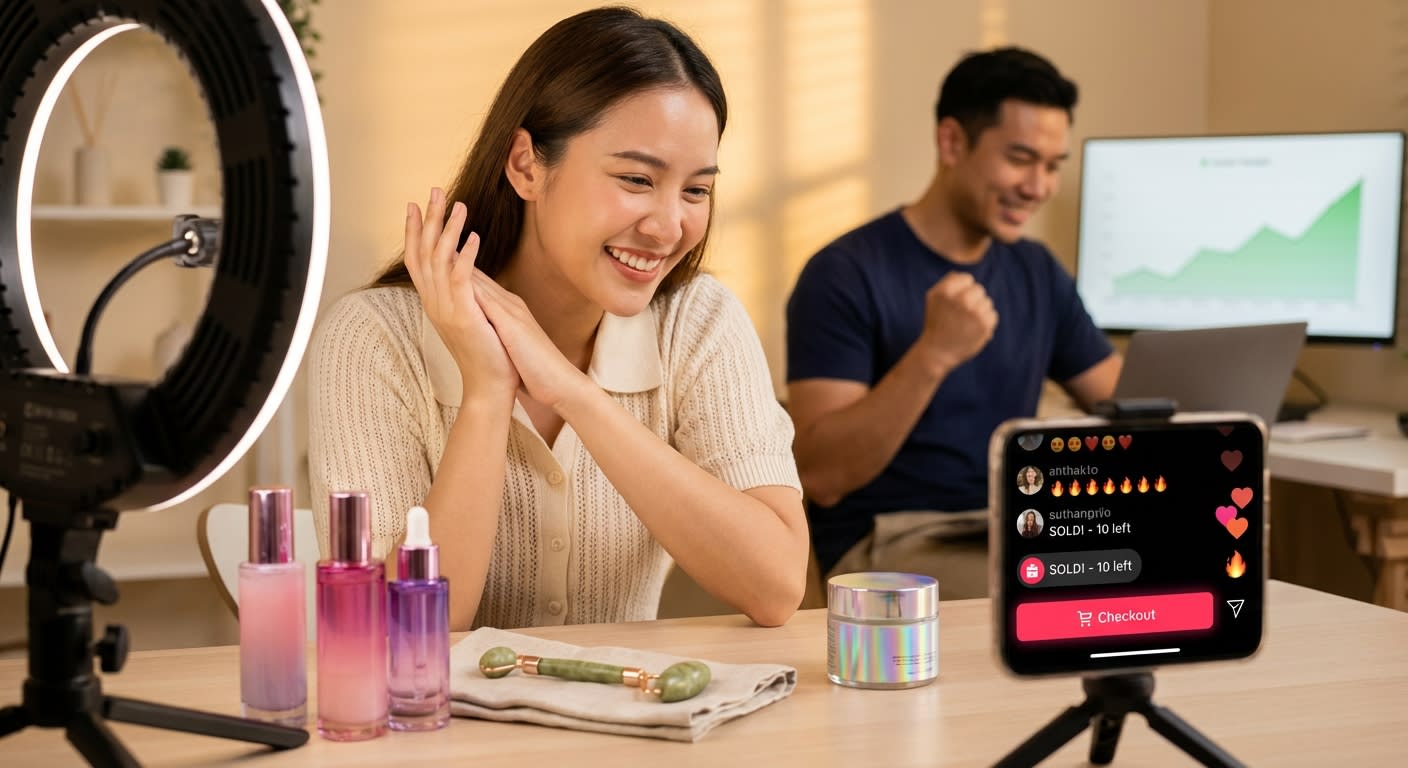
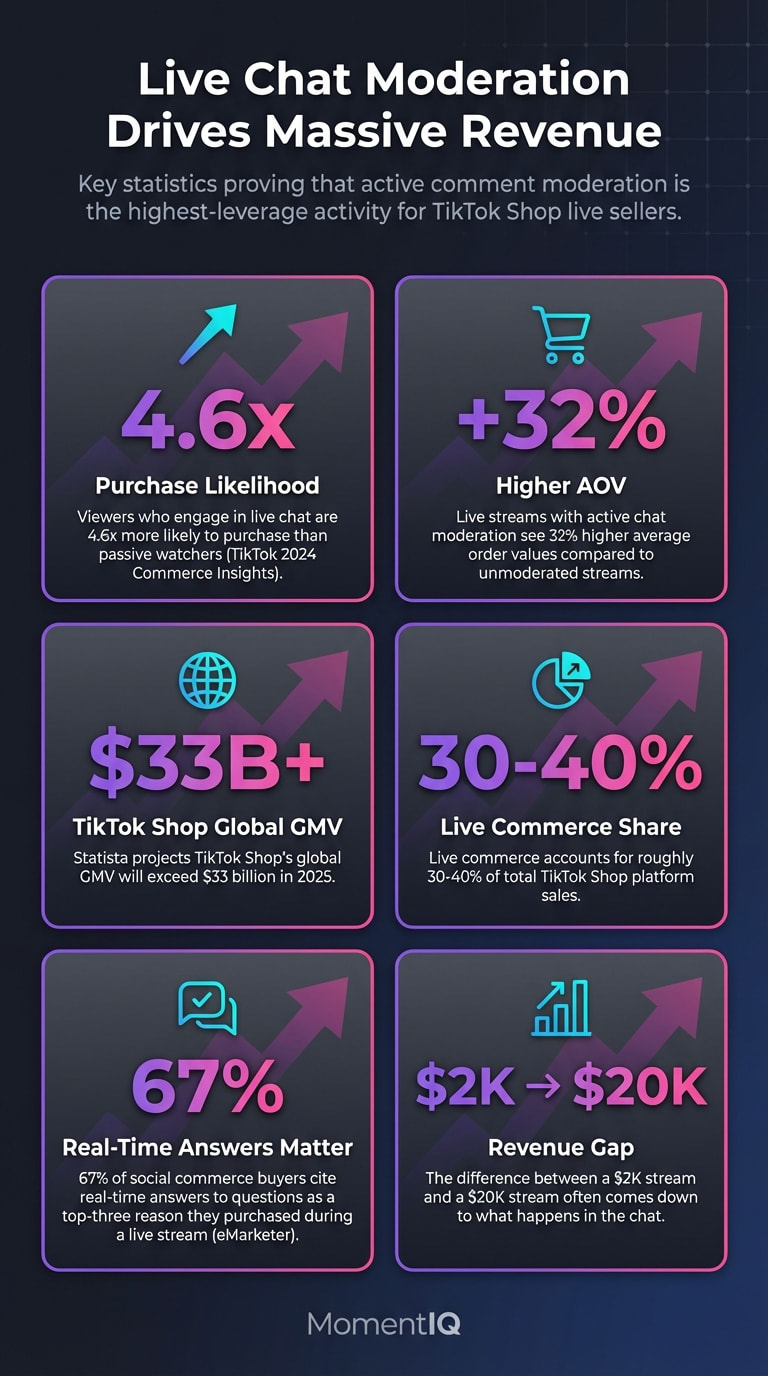
Here's a stat that should make every TikTok Shop seller stop scrolling: viewers who engage in live chat are 4.6x more likely to purchase than passive watchers, according to TikTok's 2024 Commerce Insights report.
- Treat your live chat as a real-time sales floor, not just a comment section — engaged chatters are 4.6x more likely to purchase.
- Implement active chat moderation to boost average order values by 32% compared to unmoderated live streams.
- Answer product questions immediately during lives, since 67% of social commerce buyers cite real-time answers as a top purchase driver.
- Assign dedicated moderators with scripts to catch buying signals like sizing or ingredient questions before potential customers bounce.
- Stop treating comment moderation as defensive spam cleanup and reframe it as your highest-leverage conversion activity.
Now here's the uncomfortable truth most sellers ignore.
Your live chat isn't just a comment section. It's a real-time sales floor — and right now, you're probably letting trolls trash it, ignoring buying signals buried in questions, and watching potential customers bounce because nobody answered their objection fast enough.
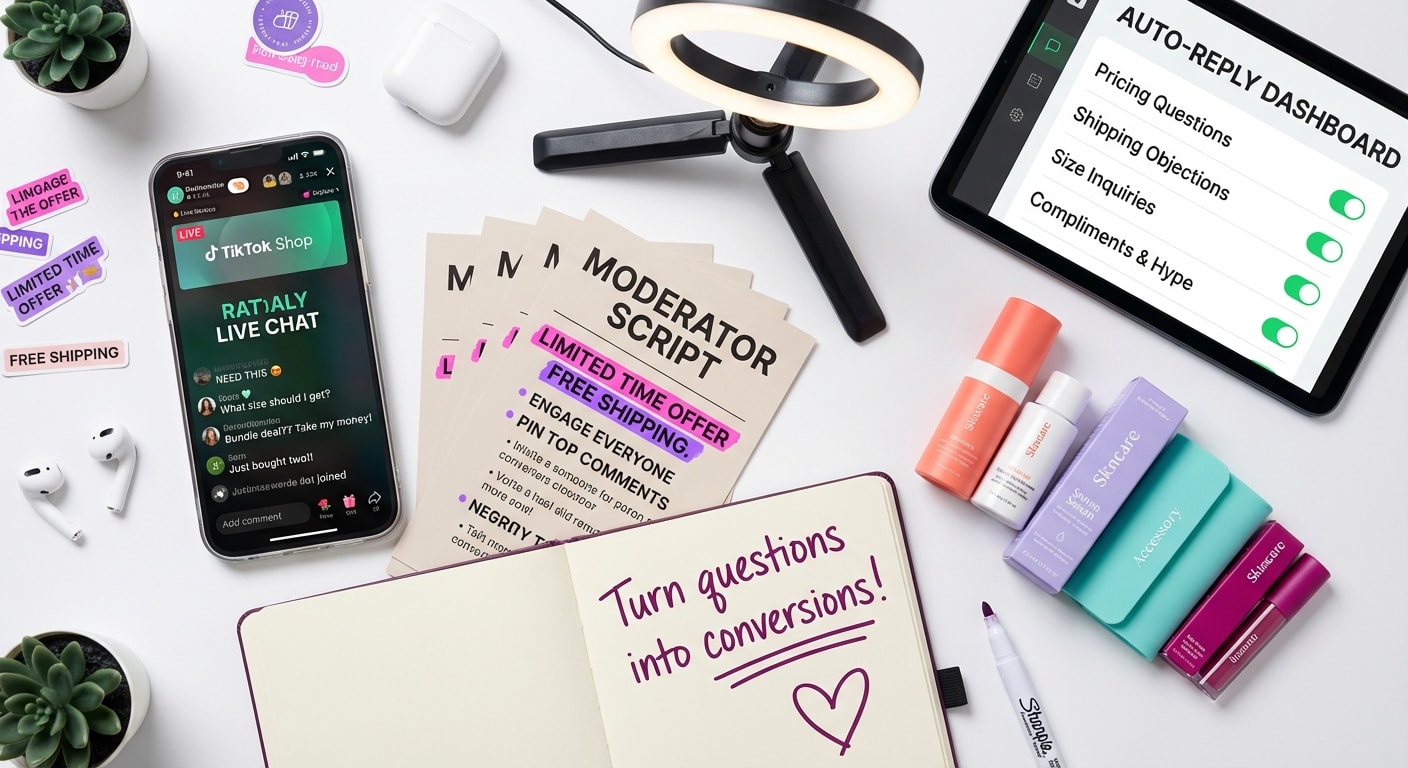
If you've been focused on lighting, scripts, and product demos (all important), but you haven't built a dedicated TikTok Shop live comment moderation strategy, you're leaving an enormous amount of GMV on the table.We're talking about the difference between a $2K stream and a $20K stream — and it often comes down to what happens in the chat.
This isn't a rehash of general engagement hacks. gamification mechanics that skyrocket sales (We've already covered 21 real-time engagement tactics 21 real-time engagement tactics and live selling scripts live selling scripts elsewhere.) This is a dedicated deep-dive into the mechanics of real-time chat management: keyword auto-replies, moderator scripts, handling negativity with grace, and turning every audience question into an organic selling opportunity.
Let's get into it.
Why TikTok Shop Live Comment Moderation Is Your Highest-Leverage Revenue Activity
Most sellers treat live chat moderation as a defensive activity — delete spam, ban trolls, move on. That's a massive strategic mistake.
The chat is where purchase intent reveals itself in real time. When someone types "does this come in blue?" or "is this safe for sensitive skin?" they're not making conversation. They're standing at the checkout counter with their wallet half-open, waiting for you to give them a reason to complete the purchase.
Consider the data:
- TikTok's internal commerce data shows that live streams with active chat moderation see 32% higher average order values compared to unmoderated streams.
- Statista projects TikTok Shop's global GMV will exceed $33 billion in 2025, with live commerce accounting for roughly 30-40% of total platform sales.
- eMarketer reports that 67% of social commerce buyers cite "real-time answers to questions" as a top-three reason they purchased during a live stream.
The brands crushing it on TikTok Shop aren't just better at presenting products. They're better at managing the conversation around those products in real time.And the gap between sellers who treat chat as an afterthought and those who treat it as a conversion engine is widening every single week.
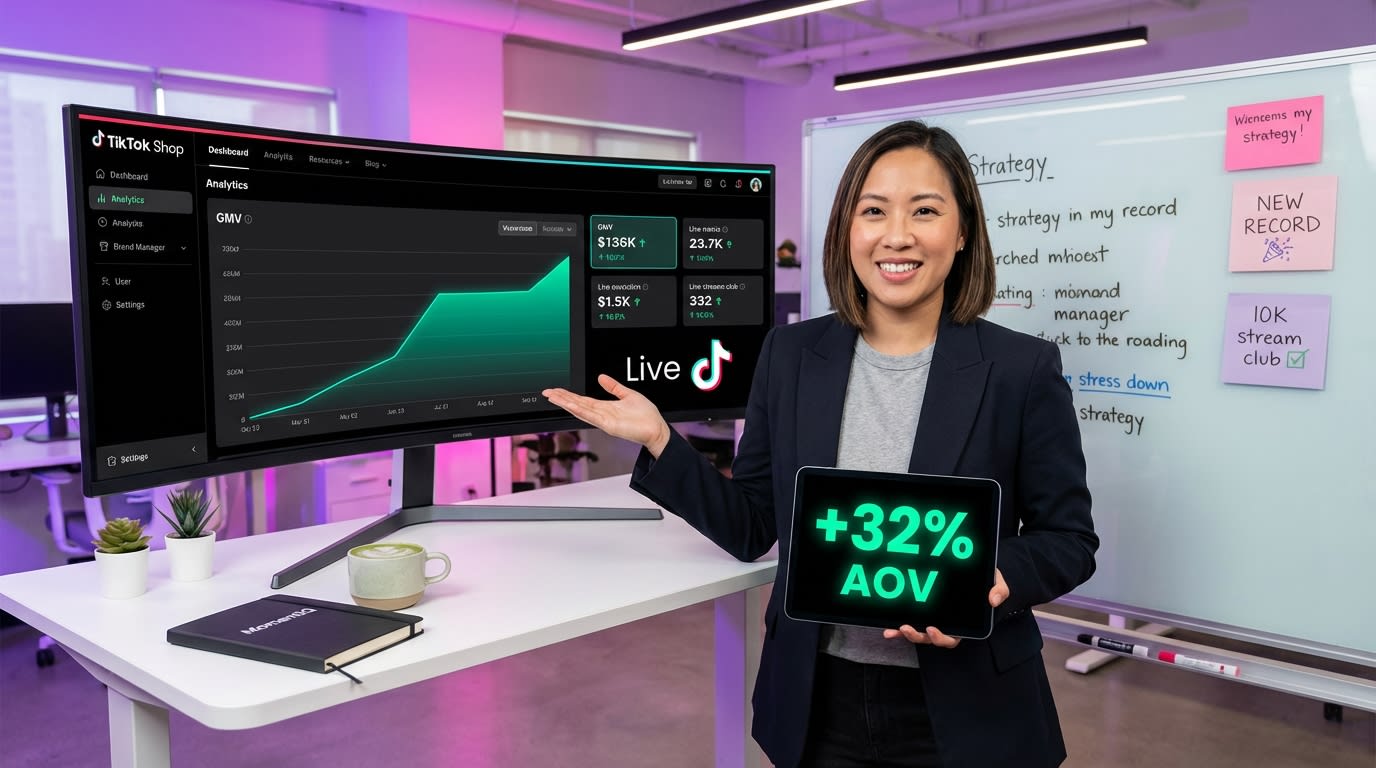
If you're a brand manager watching your live GMV flatline while competitors scale, your comment moderation strategy — or lack of one — is likely the bottleneck you haven't diagnosed yet.
🔥 Ready to stop guessing and start scaling your TikTok Shop live commerce? Talk to a Strategist — we'll identify exactly where your live streams are leaking revenue, including your chat strategy.
The Anatomy of a High-Converting TikTok Live Chat
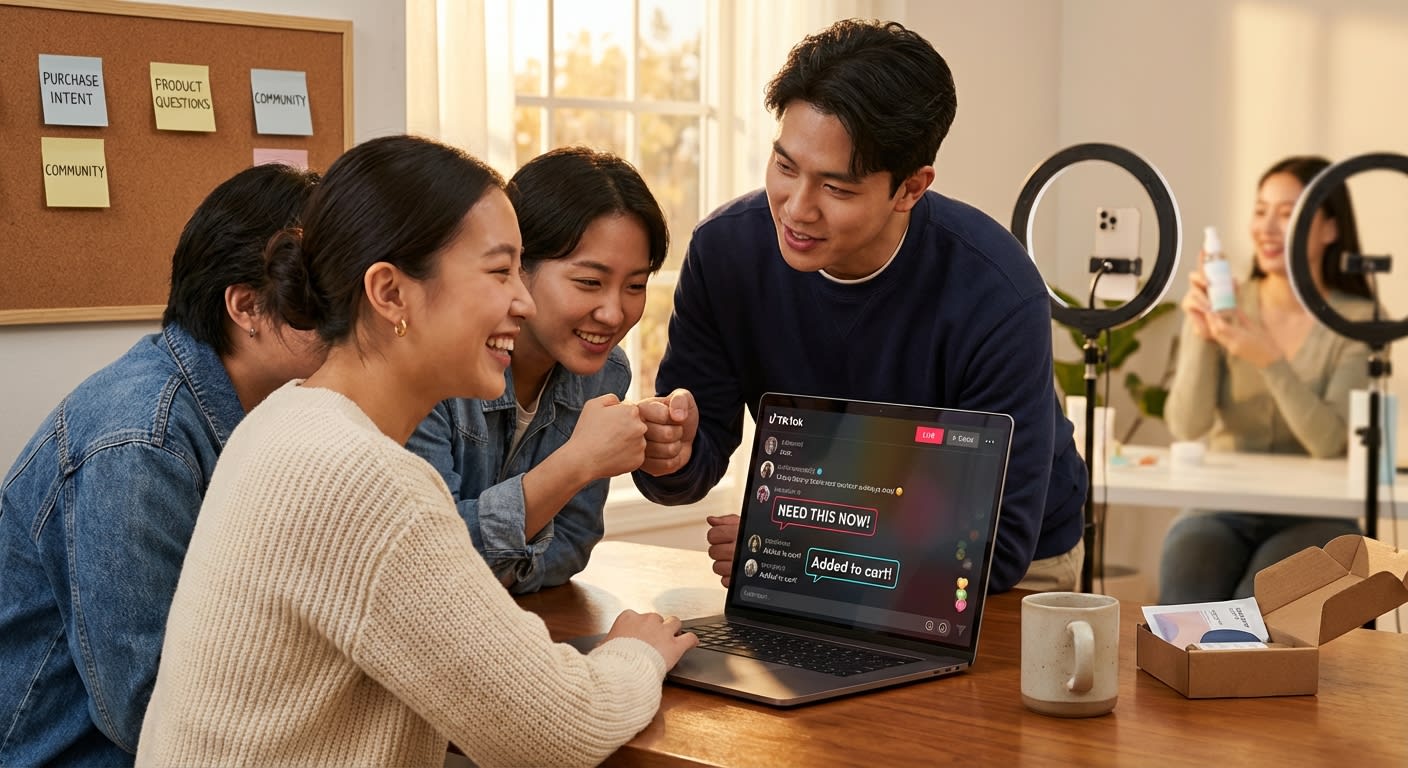
Before we get into tactics, let's break down what actually happens in a well-moderated TikTok live chat. Understanding the types of comments you'll encounter is the foundation of every strategy that follows.
The Five Comment Categories You Must Manage
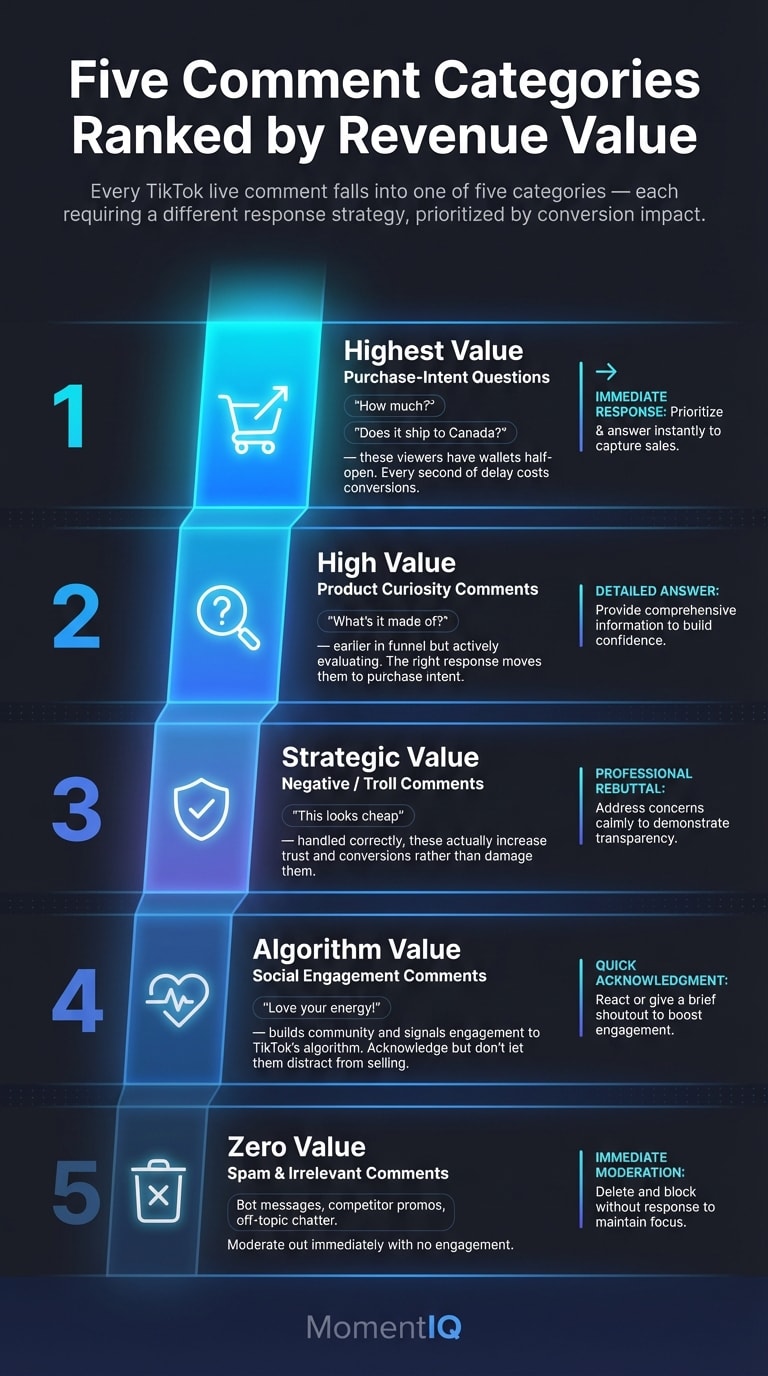
Every comment that appears in your TikTok live falls into one of five categories. Each requires a different response strategy:
1.Purchase-Intent Questions — "How much is this?" "Does it ship to Canada?" "What size should I get?" These are your highest-value comments. Every second you delay responding costs you conversions.
2.Product Curiosity Comments — "What's it made of?" "How long does it last?" "Can you show the back?" These viewers are earlier in the funnel but actively evaluating. The right response moves them to category one.
Social Engagement Comments — "Love your energy!" "Hi from Texas!" "First time here!" These build community and signal to TikTok's algorithm that your stream is engaging. Acknowledge them, but don't let them distract from selling moments.
Negative/Troll Comments — "This looks cheap" "Scam" "I bought this and it broke." These are the comments that panic inexperienced sellers.Handled correctly, they actually increase trust and conversions. (More on this below.)
5.Spam and Irrelevant Comments — Bot messages, competitor promotions, completely off-topic chatter. These get moderated out immediately.
The critical mistake most sellers make: They treat all five categories the same — or worse, they only focus on categories 3 and 5 while ignoring the purchase-intent questions that actually drive revenue.
Keyword Auto-Replies: Your 24/7 Sales Assistant in the Chat
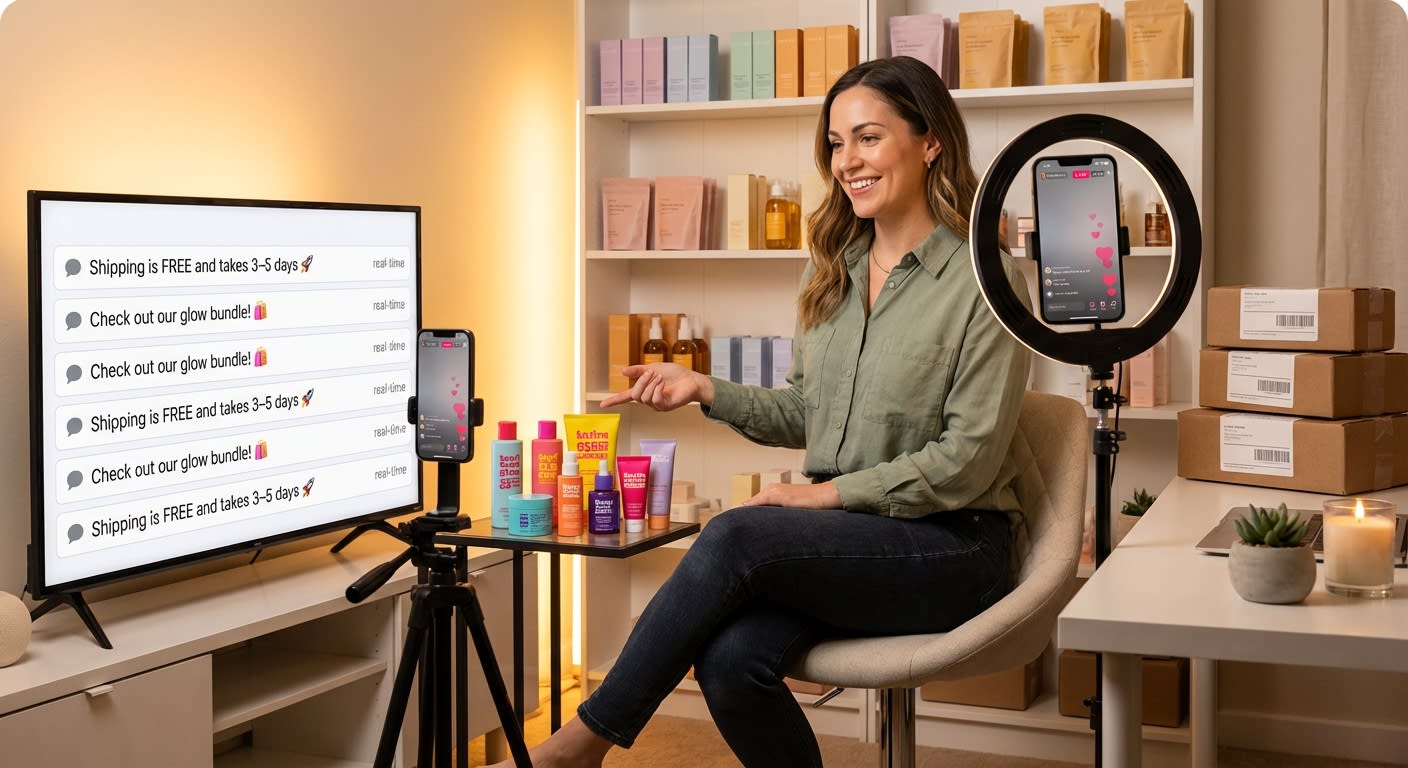
One of the most underutilized features in TikTok Shop live commerce is keyword-triggered auto-replies. When configured properly, they function as an always-on sales assistant that handles the most common questions instantly — freeing your host to focus on presenting and your moderators to focus on high-value conversations.
How to Set Up Keyword Auto-Replies That Actually Convert
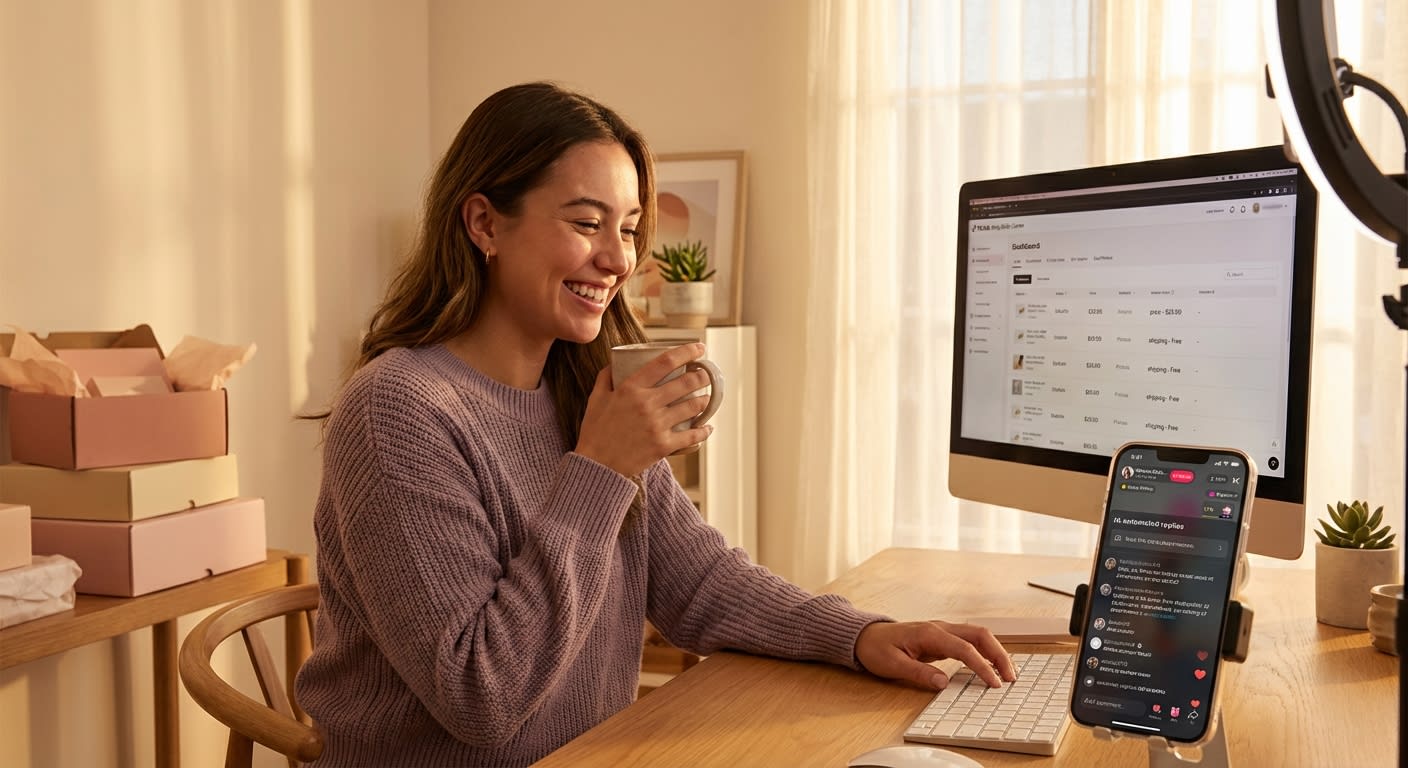
Here's what most sellers get wrong: they set up generic auto-replies like "Thanks for watching!" that add zero value. Instead, build your auto-reply library around the questions that directly precede a purchase decision.
High-converting keyword triggers to configure:
"Price" / "How much" / "Cost" → Auto-reply: "Tap the product pin below for today's exclusive live price! 🔥 This deal is only available during the stream."
"Ship" / "Shipping" / "Delivery" → Auto-reply: "We ship within 24 hours! Most orders arrive in 3-5 business days. Free shipping on orders over $35. Tap the pin to order now!"
"Size" / "Sizing" / "Fit" → Auto-reply: "Check the size chart on the product page — tap the pin below! Our host will also cover sizing in the next few minutes. Stay tuned!"
"Ingredients" / "What's in it" / "Materials" → Auto-reply: "Full ingredient list is on the product page — tap the pin! We use [key selling point]. Our host will do a deep dive shortly!"
"Discount" / "Code" / "Coupon" → Auto-reply: "Today's live-only discount is already applied when you tap the product pin! No code needed. This price disappears when the stream ends."
The Auto-Reply Conversion Framework
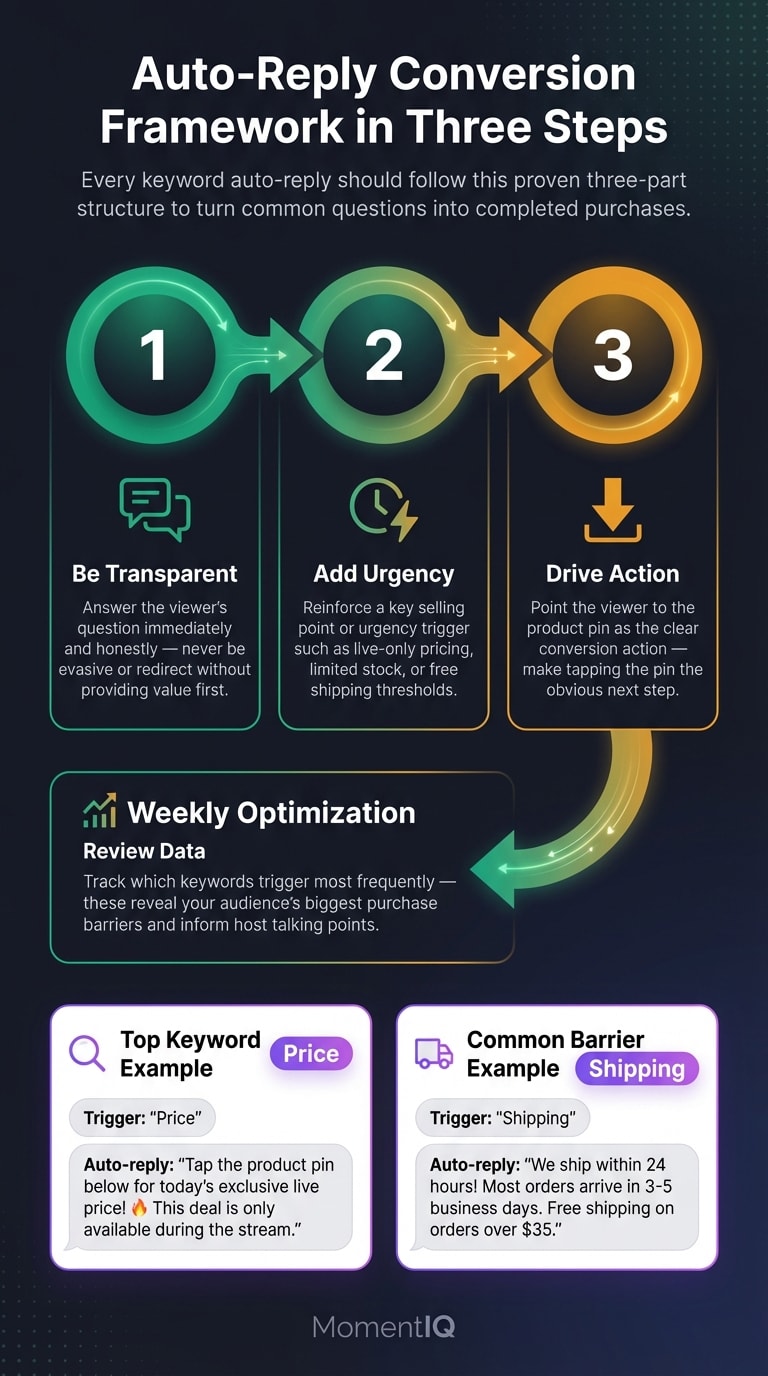
Every auto-reply should follow this three-part structure:
- Answer the question directly (don't be evasive)
- Reinforce a key selling point or urgency trigger
- Direct them to the product pin (the conversion action)
Pro tip: Review your auto-reply performance weekly. Track which keywords trigger most frequently — these reveal your audience's biggest purchase barriers. If "ingredients" fires 200 times per stream, your product page copy isn't doing its job, and your host needs to proactively address ingredients earlier in the presentation.
Moderator Scripts: Building Your Real-Time Sales Support Team
Keyword auto-replies handle volume. But the comments that actually swing your conversion rate require a human touch — and that means training dedicated moderators with specific scripts.
Why You Can't Moderate and Host at the Same Time
Let's address this directly because we hear it constantly from DTC founders: "I'll just handle the chat myself while I'm presenting."
You can't. Not effectively.
A stream averaging 500+ concurrent viewers generates 50-100 comments per minute during peak engagement. Trying to present products, demonstrate features, create urgency, AND respond to individual chat questions is like trying to run a retail store where you're simultaneously the cashier, the sales associate, the security guard, and the greeter.
The result? You miss purchase-intent questions. You let negative comments fester. You break your presentation flow. And your conversion rate suffers.
The minimum viable moderation team for a revenue-generating stream:
- 1 Host — focused entirely on presenting, demonstrating, and creating energy
- 1 Primary Moderator — handles purchase-intent questions, pins key comments, and feeds buying signals to the host
- 1 Support Moderator — manages spam removal, troll handling, and social engagement acknowledgment
For streams targeting $10K+ in GMV, brands working with MomentIQ typically deploy 2-3 moderators with specialized roles and pre-built response libraries.
The Moderator Response Library: Scripts That Sell
Your moderators shouldn't be improvising. They should be working from a pre-built response library organized by comment category. Here are the scripts that top-performing live sellers use:
For Purchase-Intent Questions:
| Question Type | Moderator Script |
|---|---|
| "Does this work for [specific use case]?" | "Great question! Yes — [specific benefit for that use case]. Tap the pin to grab yours before this batch sells out!" |
| "Can I return it?" | "Absolutely — hassle-free returns within [X] days. You're fully protected. Tap the pin to try it risk-free!" |
| "Is this the lowest price?" | "This is our exclusive live price — lower than our website and not available after the stream ends! Tap the pin now." |
| "How is this different from [competitor]?" | "Great comparison! The key differences are [2-3 specific differentiators]. Our host is about to cover this — stay tuned!" |
For Hesitation Signals:
| Hesitation Comment | Moderator Script |
|---|---|
| "I'm thinking about it..." | "Totally understand! Just so you know, we only have [X] units at this price. No pressure — but we'd hate for you to miss out!" |
| "I'll come back later" | "We'd love to see you back! Just a heads-up — this live price won't be available after the stream. Tap the pin to lock it in now!" |
| "Is it worth it?" | "[X number] people have already grabbed theirs today! Check the reviews on the product page — tap the pin to see what buyers are saying." |
The key principle: Every moderator response should reduce friction, create urgency, and direct to the product pin. Train your moderators to think of themselves as sales associates, not customer service reps.
How to Handle Negative Comments Gracefully (And Turn Them Into Trust)
This is where most sellers panic — and where the best sellers separate themselves from the competition.
Negative comments in your TikTok live chat aren't just inevitable. When handled correctly, they're actually one of your most powerful conversion tools. Here's why: every viewer watching sees how you respond to criticism. A graceful, transparent response builds more trust than ten minutes of product demos.
The Negative Comment Response Framework
Not all negative comments deserve the same treatment. Here's how to categorize and respond:
Category 1: Legitimate Concerns
Examples: "I heard the quality isn't great" / "The reviews are mixed" / "I bought something similar and it didn't work"
Response strategy: Acknowledge, Redirect, Prove
- Acknowledge: "That's a totally fair concern — thanks for bringing it up!"
- Redirect: "Here's what makes this different..."
- Prove: Demonstrate the product live, reference specific features, or cite customer satisfaction data
Script example: "I appreciate you asking that! Quality is actually our #1 priority — let me show you the [specific feature] right now. [Demonstrates live.] And if you're not 100% satisfied, you have a full [X]-day return window. Zero risk."
Why this works: The entire chat sees you addressing concerns head-on instead of hiding from them. Transparency converts. According to a 2024 Edelman Trust Barometer report, 71% of consumers say they trust brands more when they see them handle criticism publicly and honestly.
Category 2: Trolling and Provocation
Examples: "This is a scam" / "Trash product" / random insults
Response strategy: One-and-Done or Ignore
For comments that are clearly provocative but visible to your audience:
- One brief, confident response: "We stand behind every product with a full money-back guarantee. Tap the pin to check the reviews from real buyers!"
- Then move on. Never engage in a back-and-forth. Never get defensive. Never let a troll derail your energy.
For repeat offenders or clearly malicious comments:
- Mute or block immediately. This is what your support moderator is for. No explanation needed.
Category 3: Competitor Mentions and Comparisons
Examples: "[Competitor] is cheaper" / "I can get this on Amazon for less"
Response strategy: Reframe the Value
Script example: "Great question! A few things to consider — you're getting [exclusive bundle/live discount/specific feature] that you won't find anywhere else. Plus, you're buying directly from the brand with full support. Let me show you exactly what's included..."
Never trash competitors. It looks desperate. Instead, stack your unique value so the comparison becomes irrelevant.
The Golden Rule of Negative Comment Management
Bold this and tattoo it on your moderator's brain: Every negative comment is a question in disguise. "This looks cheap" really means "Convince me it's worth the price." "Does this actually work?" means "I want to buy this but I need reassurance."
The sellers who understand this consistently outperform those who treat negative comments as attacks to be defended against.
Turning Audience Questions Into Organic Selling Opportunities
This is the highest-ROI skill in all of live commerce — and almost nobody teaches it systematically.
When a viewer asks a question in your live chat, they've just given you explicit permission to sell to them. They've told you exactly what they care about, exactly what's holding them back, and exactly what angle will resonate. All you have to do is respond strategically.
The Q-to-Sale Bridge Technique
Every question-to-sale conversion follows the same four-step bridge:
Repeat the question out loud — This validates the asker, signals to the algorithm that you're engaging with chat, and ensures all viewers hear the question (most won't have read it in the fast-moving chat).
Answer with a benefit, not a feature — Don't say "It's made of stainless steel." Say "It's made of medical-grade stainless steel, which means it won't rust, won't stain, and will literally last you years."
Demonstrate live if possible — Physical proof is the most powerful conversion tool in live commerce. Pour water on it. Bend it. Apply it. Show the texture. Let the camera do the selling.
Transition to a CTA — "Great question, and I hope that answers it! If you're ready to grab yours, tap the product pin — we only have [X] left at this price."
High-Value Questions to Prioritize (and How to Weaponize Them)
Train your moderators to flag these question types to the host immediately — they're the highest-converting moments in any stream:
"Can you show it again?" — This viewer is on the fence. A second demonstration with a different angle or use case often closes the sale.
"What if I don't like it?" — This is a buying signal disguised as hesitation. Your return policy is the answer, and it should be delivered with total confidence.
"Which one should I get?" — This viewer has already decided to buy. They just need help choosing. Recommend the higher-value option with a specific reason.
"Is this good for [specific person/occasion]?" — Gift buyers. These are often your highest AOV customers. Validate their choice enthusiastically.
"How many are left?" — Scarcity question. Answer honestly, and let the urgency do the selling.
The data backs this up: TikTok's 2024 Live Commerce Performance Report found that streams where hosts verbally addressed viewer questions at least once every 3 minutes saw 41% higher conversion rates than streams where hosts followed a rigid script without chat interaction.
💡 Struggling to manage TikTok live chat while scaling your streams? MomentIQ builds complete live commerce systems — from moderation playbooks to multi-host strategies — that turn chaotic chat rooms into conversion machines. schedule a free strategy session at bemomentiq.com to see your custom scaling roadmap.
Building Your TikTok Shop Live Comment Moderation Playbook
Knowing the theory is one thing. Executing it consistently across dozens or hundreds of streams is another. Here's how to build a repeatable system.
Step 1: Audit Your Last 10 Streams
Before building anything, diagnose where you're currently leaking revenue:
- Record and review chat replays. How many purchase-intent questions went unanswered?
- Calculate your question-to-sale conversion rate. How many viewers who asked questions actually purchased?
- Identify your top 20 most-asked questions. These become the foundation of your auto-reply library and moderator scripts.
- Count negative comments and assess response quality. Were they handled? Ignored? Handled poorly?
Most sellers who do this audit are shocked. One supplement brand we worked with at MomentIQ discovered that 63% of purchase-intent questions in their live chat went completely unanswered. After implementing a structured moderation playbook, they scaled from $18K to $420K/month in GMV within 90 days — and chat moderation was one of the three biggest levers.
Step 2: Build Your Response Library
Create a shared document (Google Doc, Notion, whatever your team uses) organized by:
- Product-specific FAQs (top 10 questions per product)
- General purchase questions (shipping, returns, sizing, pricing)
- Negative comment responses (scripted by category)
- Engagement responses (for social comments that build community)
- Escalation protocols (when to flag something to the host vs. handle in chat)
Update this library after every stream. New questions will emerge. New objections will surface. The best moderation playbooks are living documents.
Step 3: Train and Assign Moderator Roles
Don't just hand someone the response library and say "moderate." Assign specific roles:
- Sales Moderator: Focuses exclusively on purchase-intent and hesitation comments. This person's KPI is question-to-conversion rate.
- Community Moderator: Handles social engagement, welcomes new viewers, and maintains energy in the chat.
- Shield Moderator: Manages spam removal, troll blocking, and negative comment triage. Decides what gets a response and what gets removed.
Step 4: Create a Real-Time Communication System
Your moderators and host need a backchannel — a way to communicate without the audience seeing. Options:
- A separate phone with a group chat open
- An earpiece connected to a team call
- A tablet showing a private Slack channel
Critical communications the moderator should feed to the host:
- "Lots of questions about sizing — address it now"
- "Someone asked about the warranty — great selling moment"
- "Negative comment about quality — might want to do a live demo"
- "Viewer count spiking — pin the product now"
This real-time feedback loop is what separates amateur streams from professional live commerce operations.
The Manage TikTok Live Chat Scaling Problem (And Why Most Sellers Hit a Wall)
Here's where we need to have an honest conversation about scale.
When you're doing 2-3 streams per week with 200 viewers, you can manage TikTok live chat with one moderator and a basic auto-reply setup. It's manageable. It's scrappy. It works.
But what happens when you're doing daily streams, multiple products, 2,000+ concurrent viewers, and your GMV targets require consistent five-figure streams?
The DIY approach breaks. Fast.
Here's what we see happen to sellers who try to scale moderation in-house:
- Moderator quality becomes inconsistent (different people, different shifts, different results)
- Response libraries don't get updated, and moderators start improvising poorly
- The host gets pulled into chat management, destroying presentation quality
- Negative comments slip through during high-traffic moments, tanking trust
- Purchase-intent questions get buried in volume, and conversion rates crater
"But hiring an agency is expensive." Let's do the math.
If your average stream generates $5,000 in GMV, and a structured moderation system increases conversion rates by even 25% (conservative, based on the data we've cited), that's an additional $1,250 per stream. At 20 streams per month, that's $25,000 in incremental monthly revenue. The ROI on professional live commerce support isn't theoretical — it's arithmetic.
And here's what generic influencer agencies miss: TikTok Shop live commerce has completely different mechanics than Instagram Lives or YouTube streams. The product pin system, the algorithmic boost for engagement, the flash sale mechanics, the viewer-to-buyer funnel — it's a unique ecosystem that requires TikTok-native expertise.
This is exactly why MomentIQ exists. As TikTok Shop Partner of the Year and a certified TikTok Marketing Partner, MomentIQ doesn't just understand live commerce theory — we've built proprietary systems that handle everything from algorithmic creator matching to live stream moderation playbooks to full-funnel commerce optimization. We've helped a beauty brand scale from $12K to $340K/month in 90 days, and a home goods brand increase their live stream conversion rate by 187% in six weeks.
"We've tried agencies before and got burned." We hear this constantly. The difference is that most agencies treat TikTok Shop as an add-on to their existing influencer marketing services. MomentIQ was built from the ground up for TikTok commerce — our data analytics are proprietary, our creator matching is algorithmic (not some intern scrolling through profiles), and our live commerce strategies are battle-tested across hundreds of streams per month.
Advanced TikTok Live Engagement Comments Tactics for Power Sellers
Once you've mastered the fundamentals, these advanced tactics separate good streams from great ones.
Tactic 1: The "Comment-Triggered Demo"
Instead of following a rigid product demo schedule, let the chat dictate what you show next. When your moderator flags a cluster of questions about a specific feature or product, the host pivots to address it live.
Why this works: It makes viewers feel heard, signals to the algorithm that your stream is interactive, and ensures you're always demonstrating the features your audience actually cares about — not the ones you assumed they'd care about.
Tactic 2: The "Objection Spotlight"
When a negative or skeptical comment appears, don't just respond to it — spotlight it. Read it aloud, acknowledge it genuinely, and use it as a launching pad for your strongest selling points.
Example: "Someone in the chat just said 'I've tried similar products and they didn't work.' I LOVE this comment because it gives me a chance to show you exactly why this is different. Watch this..." [Proceeds to demonstrate the unique differentiator.]
This technique turns a potential trust-killer into a trust-builder. The entire chat sees you welcoming scrutiny. That's powerful.
Tactic 3: The "Question Queue" Pin
During high-engagement moments, pin a comment that says: "Drop your biggest question about [product] below — our host is answering live!"
This does three things simultaneously:
- Generates a flood of engagement signals that boost algorithmic distribution
- Surfaces the objections and questions you need to address to convert
- Creates a participatory dynamic that keeps viewers watching longer
Tactic 4: The "Social Proof Echo"
When someone comments that they just purchased, or that they bought before and love it, amplify it immediately. Have your moderator respond with enthusiasm, and have the host acknowledge it verbally.
"Sarah just said she bought this last month and it completely cleared her skin — Sarah, we love hearing that! If you've been on the fence, listen to real buyers in this chat right now."
Peer validation from fellow viewers is exponentially more persuasive than anything the host can say. Engineer moments that surface it.
The Comment Moderation Metrics That Actually Matter
You can't improve what you don't measure. Track these KPIs for your TikTok Shop live comment moderation strategy:
- Question Response Rate: Percentage of purchase-intent questions that receive a response within 60 seconds. Target: 90%+.
- Question-to-Conversion Rate: Percentage of viewers who ask a question and then purchase. Track this against your overall stream conversion rate.
- Negative Comment Resolution Rate: Percentage of negative comments that receive a response (vs. being ignored or only deleted). Target: 80%+ for legitimate concerns.
- Average Response Time: How quickly moderators respond to flagged comments. Target: under 30 seconds for purchase-intent questions.
- Chat Engagement Rate: Comments per viewer per minute. Higher engagement correlates directly with algorithmic boost and conversion rate.
One home goods brand tracking these metrics through MomentIQ's analytics framework discovered that their conversion rate was 3.2x higher during stream segments where the host actively addressed chat questions compared to segments where they followed a scripted monologue. That single insight restructured their entire live commerce approach.
Stop Treating Your Chat Like a Comment Section — Start Treating It Like a Sales Floor
The brands that will dominate TikTok Shop live commerce in 2025 and beyond aren't just the ones with the best products or the most charismatic hosts. They're the ones who understand that every comment is a conversion opportunity, every question is a buying signal, and every negative remark is a chance to build trust.
The window to build this competitive advantage is narrowing. TikTok Shop's live commerce ecosystem is maturing rapidly — eMarketer projects that US social commerce sales will hit $80 billion by 2025, and TikTok is capturing a disproportionate share of that growth. The brands building systematic moderation playbooks now are creating a compounding advantage that latecomers simply won't be able to replicate.
Your competitors are already figuring this out. The question is whether you'll build these systems before they do — or spend the next twelve months wondering why their streams convert at 3x your rate.
Here's the bottom line: You can build this yourself. It will take months of trial and error, dozens of underperforming streams, and significant opportunity cost while you figure out what works. Or you can partner with a team that's already built, tested, and optimized these systems across hundreds of live commerce operations.
🚀 MomentIQ is the TikTok Shop Partner of the Year for a reason. From algorithmic creator matching and product seeding at scale to complete live commerce strategy — including the moderation playbooks, moderator training, and real-time analytics covered in this post — we build the systems that turn TikTok Shop into your highest-performing revenue channel. Book your free TikTok Shop growth audit at bemomentiq.com and see exactly how much GMV your live streams are leaving on the table.
The chat is talking. The question is whether you're listening — and converting.