
TikTok Shop Pixel Mastery
Master TikTok Shop pixel setup to stop losing 30-50% of your ROAS. Learn advanced event configuration, attribution windows & data signals to supercharge ad perf
Here's the uncomfortable truth most TikTok Shop sellers won't hear from their ad manager: your pixel setup is probably costing you 30–50% of your potential ROAS right now.
- Audit your pixel setup immediately, as misconfigured pixels can cost you 30–50% of your potential ROAS.
- Implement server-side integration alongside your browser pixel to achieve up to 28% better conversion rates and 22% lower CPA.
- Stop blaming creative or targeting for inconsistent results — fix your data signals first, since 67% of advertisers cite signal loss as their top challenge.
- Eliminate duplicate event firing and incorrect attribution windows to stop training TikTok's algorithm on bad data that compounds over time.
- Treat your pixel as a three-layer architecture — not a one-time install — to feed TikTok's signal-processing machine the richest possible conversion data.
Not your creative. Not your targeting. Not your budget. Your pixel.
While you're obsessing over hook rates and CPMs, the data infrastructure underneath your entire ad account is leaking signal, misattributing conversions, and starving TikTok's algorithm of the exact information it needs to find your highest-intent buyers. And every day you run ads on a misconfigured pixel, you're compounding the problem — training the algorithm on bad data that gets harder to unwind over time.
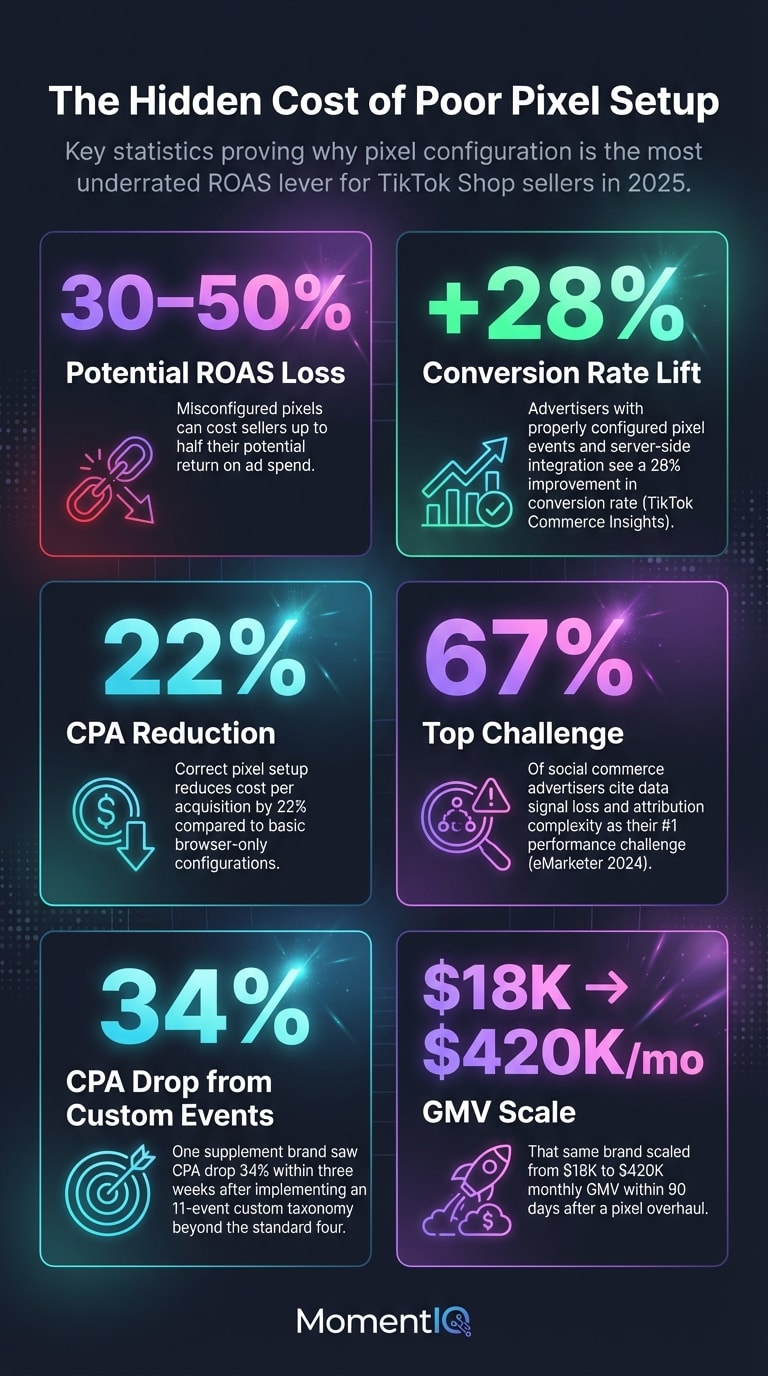
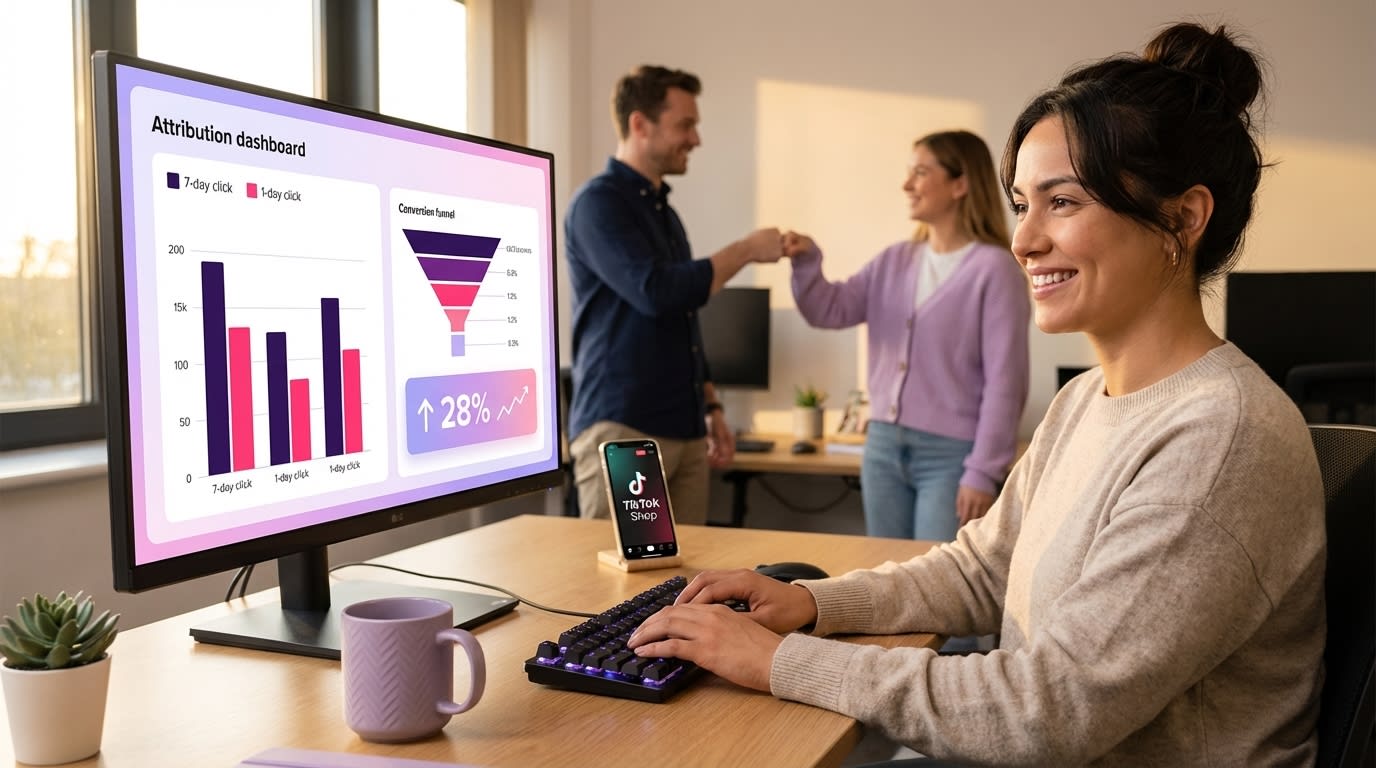
According to TikTok's own Commerce Insights report, advertisers with properly configured pixel events and server-side integration see an average 28% improvement in conversion rate and a 22% reduction in CPA compared to those running basic browser-only pixel setups. That's not a marginal gain. That's the difference between a profitable TikTok Shop and one that bleeds cash.
This guide is the technical deep dive you've been looking for.We're going beyond "install the pixel and add to cart event" basics. We're covering advanced event matching, Events API (server-side) integration, attribution window strategy, signal health diagnostics, and the exact pixel architecture that lets TikTok's algorithm work for you instead of against you.
If you'd rather have experts handle this from day one, Talk to a Strategist — we'll diagnose your pixel health, attribution gaps, and the ROAS you're leaving on the table.
Let's get into it.
Why TikTok Shop Pixel Setup Is the Most Underrated ROAS Lever in 2025
Every TikTok Shop seller understands the basics: install the pixel, track purchases, run ads. But the gap between a basic pixel installation and a mastered pixel ecosystem is enormous — and it's widening as TikTok's ad algorithm becomes more sophisticated.
Here's what's happening under the hood.
TikTok's ad delivery system is fundamentally a signal-processing machine. It takes the data your pixel sends — page views, add-to-carts, initiations of checkout, completed purchases — and uses those signals to build predictive models of who is most likely to convert. The richer, more accurate, and more complete your signal data, the better TikTok can optimize delivery.
When your pixel is misconfigured, firing duplicate events, missing server-side confirmation, or using the wrong attribution window, you're essentially feeding the algorithm junk food.It'll still run your ads. It'll still spend your budget. But it's optimizing toward a distorted picture of your actual customer.
The result? Inflated CAC, inconsistent GMV, and the maddening feeling that your ads "worked last week but not this week." Sound familiar?
A 2024 eMarketer analysis found that 67% of social commerce advertisers cited data signal loss and attribution complexity as their top performance challenge — ahead of creative fatigue, audience saturation, or budget constraints.For TikTok Shop sellers specifically, the challenge is amplified because Shop transactions happen within TikTok's native checkout, creating unique pixel-firing dynamics that don't exist on Shopify or standard DTC flows.
The Three Layers of TikTok Pixel Architecture
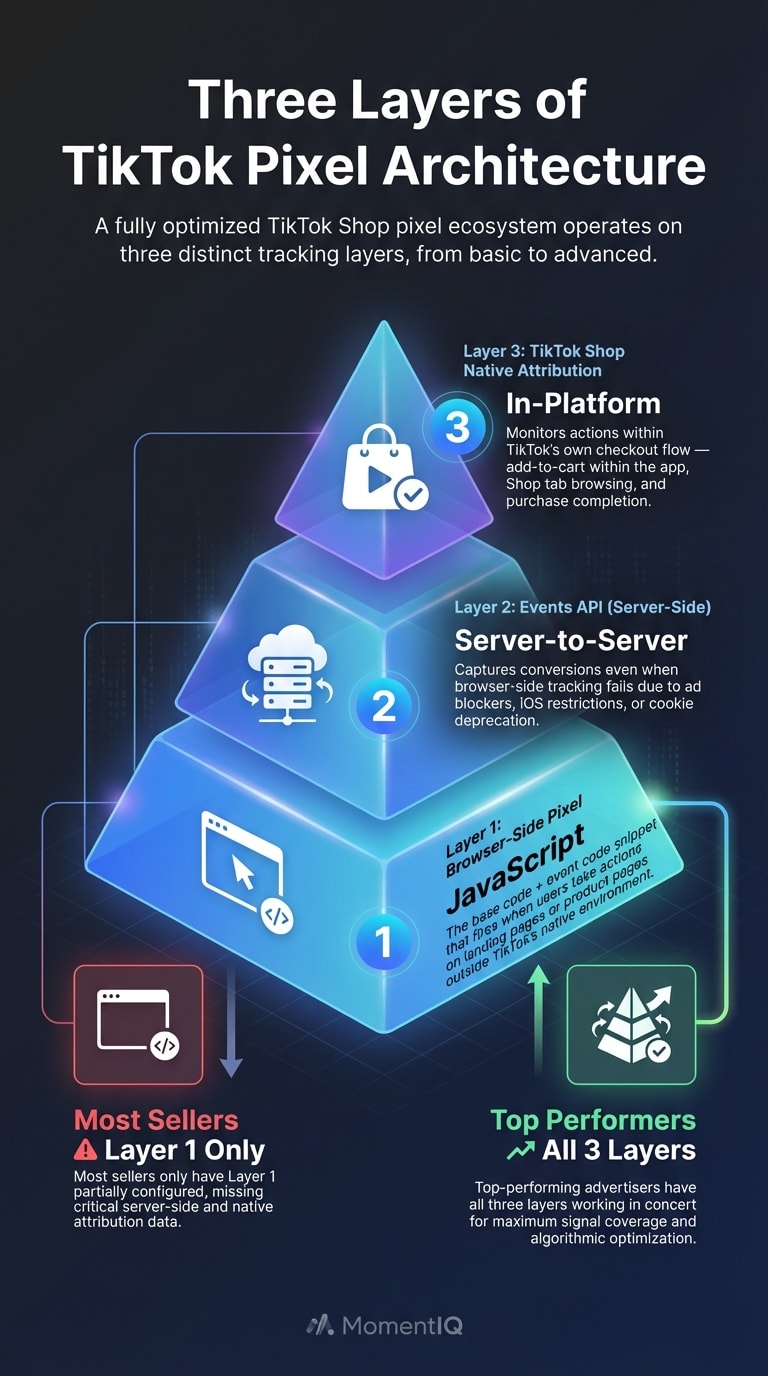
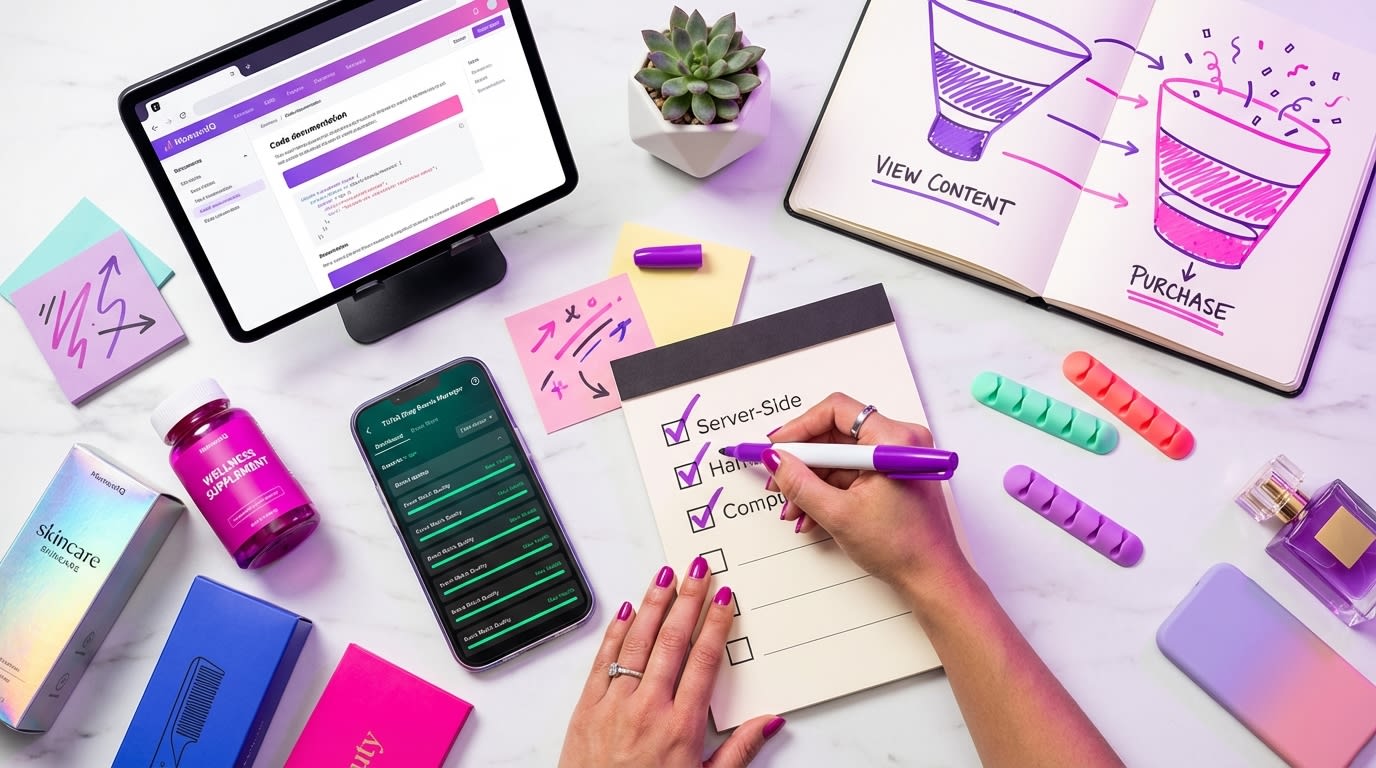
Before we dive into advanced tactics, let's establish the framework. A fully optimized TikTok Shop pixel ecosystem operates on three layers:
- Browser-Side Pixel (Base Code + Event Code): The JavaScript snippet that fires when users take actions on your landing pages or product pages outside TikTok's native environment.
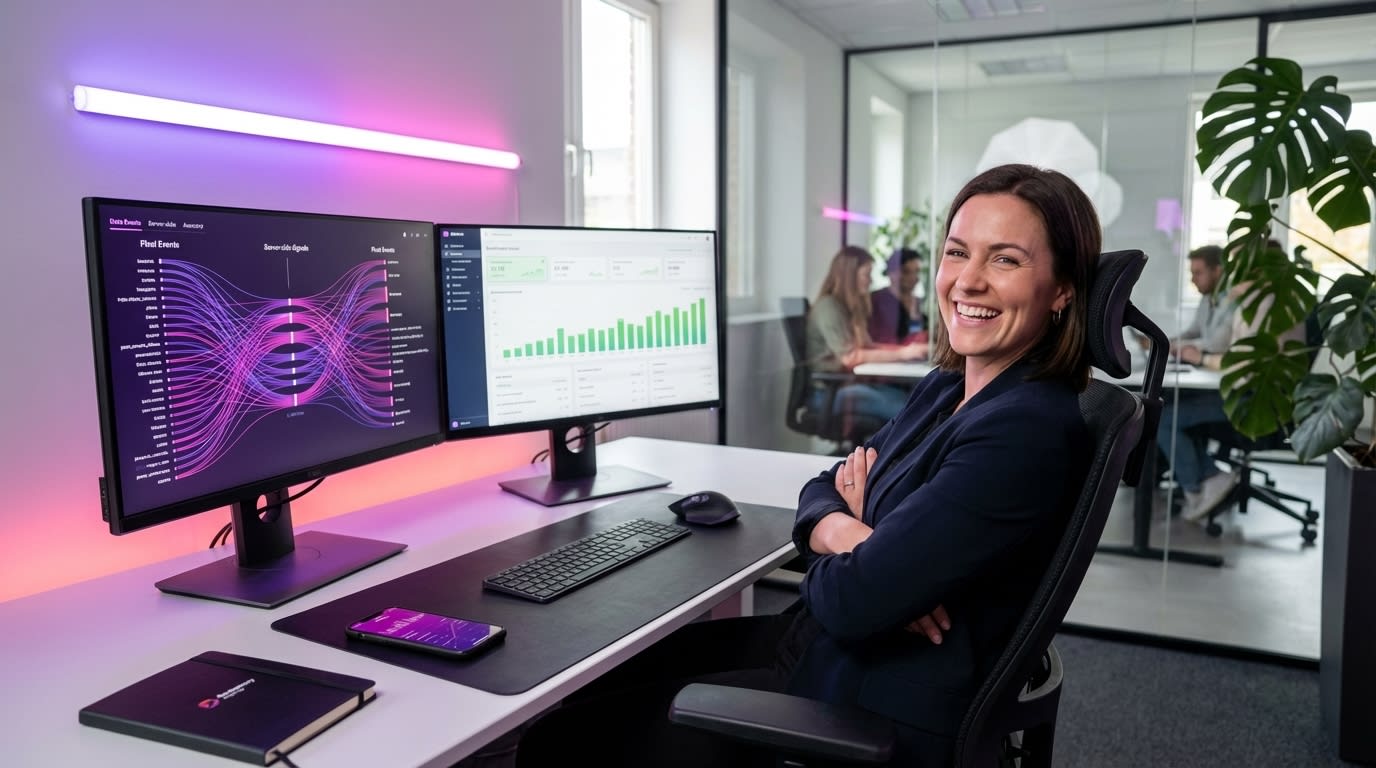
- Events API (Server-Side Integration): Server-to-server data transmission that captures conversions even when browser-side tracking fails due to ad blockers, iOS restrictions, or cookie deprecation.
- TikTok Shop Native Attribution: The in-platform tracking that monitors actions within TikTok's own checkout flow — add-to-cart within the app, Shop tab browsing, and purchase completion.
Most sellers only have layer one partially configured. Top performers have all three working in concert. That's the gap we're closing today.
Advanced TikTok Pixel Events for Shop: Beyond the Basic Funnel
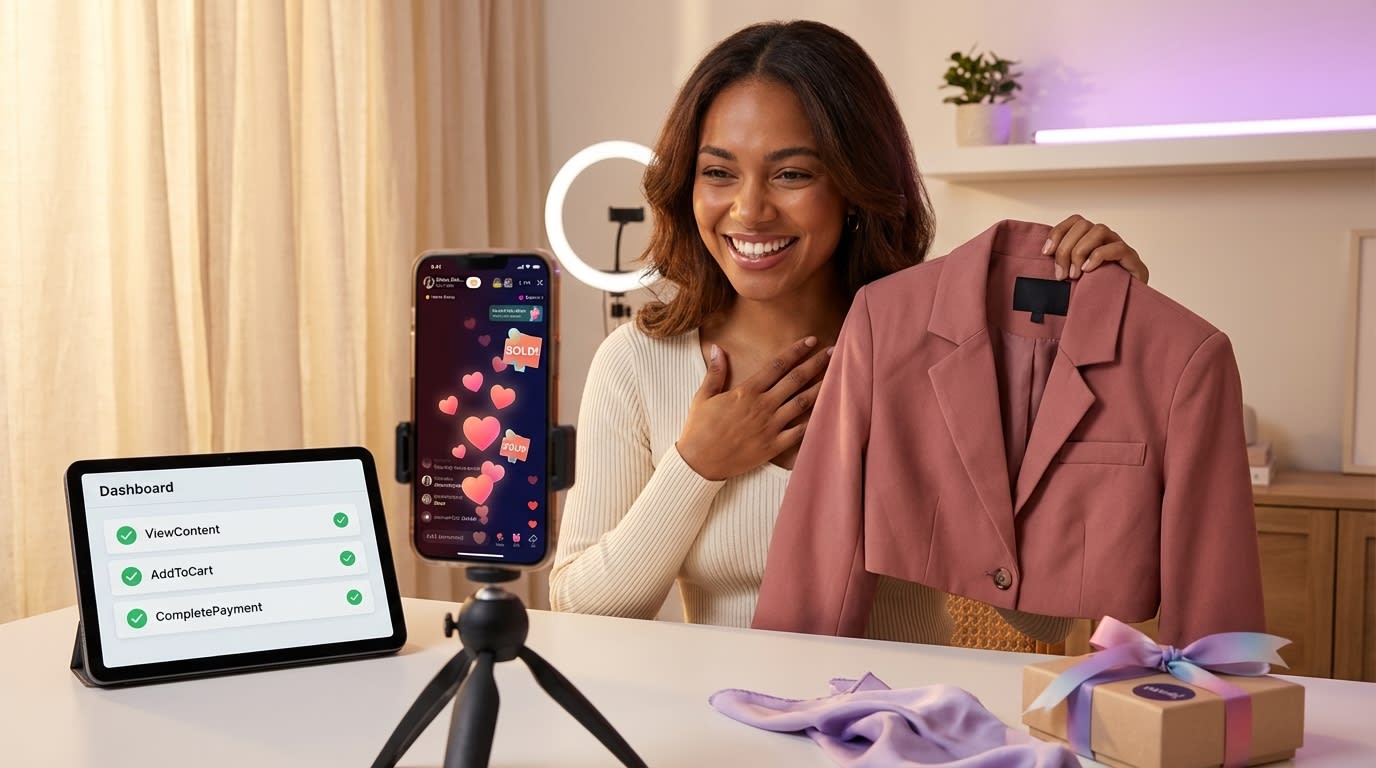
The standard advice is to set up four events: ViewContent, AddToCart, InitiateCheckout, and CompletePayment. That's table stakes. If you're competing seriously on TikTok Shop in 2025, you need a much richer event taxonomy.
Standard Events You're Probably Missing
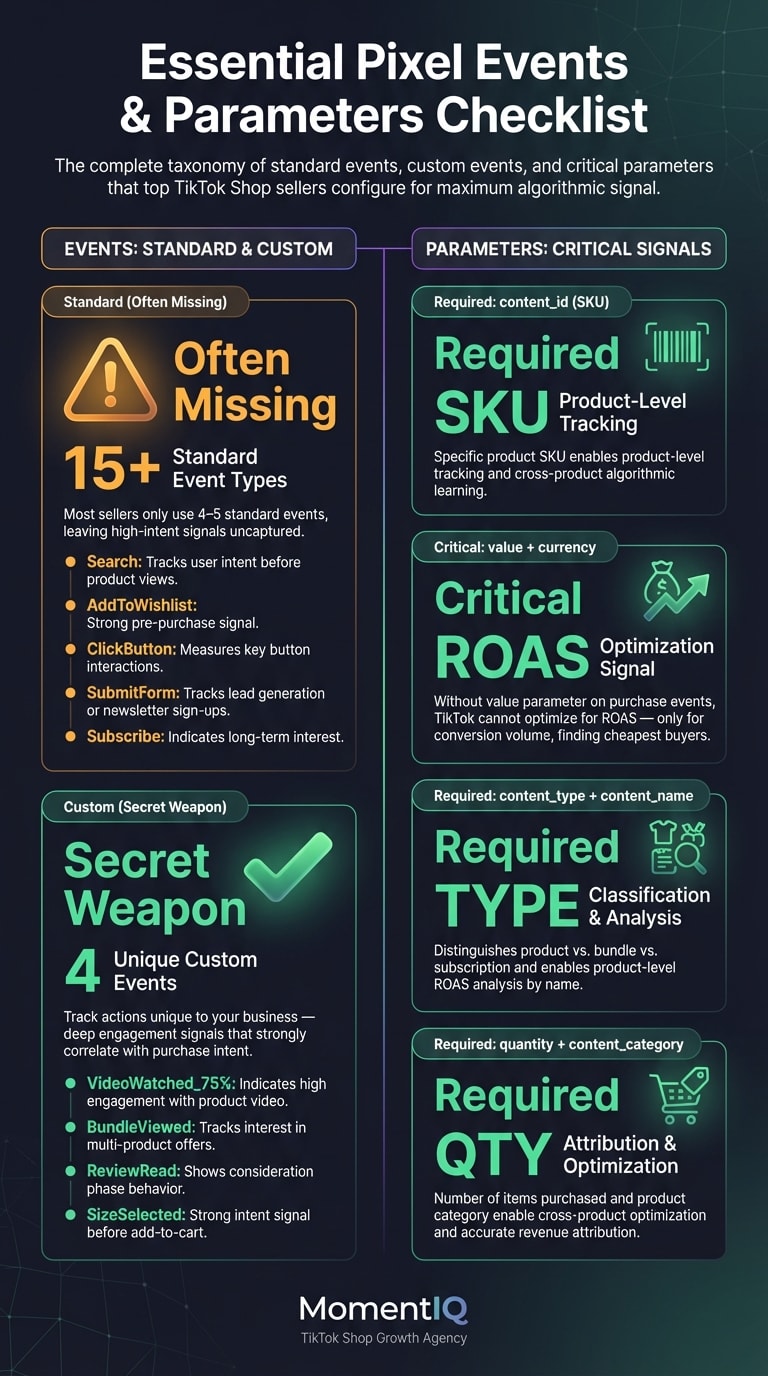
TikTok's pixel supports over 15 standard event types, but most Shop sellers only use 4–5. Here are the ones that materially impact algorithmic optimization:
- Search: Fires when a user searches for your product or brand within your site. This signals high intent and helps TikTok identify search-driven buyer personas.
- AddToWishlist: Captures consideration-stage behavior. Critical for building retargeting pools of warm audiences (which pairs perfectly with the retargeting funnel architecture we've covered in our companion guide).- ClickButton: Tracks specific CTA interactions — "View Reviews," "Compare Sizes," "Check Availability." These micro-conversions help TikTok understand which users are engaging deeply vs. bouncing.
- SubmitForm: If you're collecting emails or quiz data for product recommendations, this event feeds TikTok valuable lead-quality signals.
- Subscribe: For subscription-box or replenishment brands, this event lets TikTok optimize for recurring revenue customers, not just one-time buyers.
Custom Events: The Secret Weapon
Here's what most sellers get wrong: they treat TikTok's pixel event library as a fixed menu. It's not. Custom events let you define and track actions unique to your business — and they're incredibly powerful for training TikTok's algorithm on your specific conversion patterns.
Examples of high-impact custom events for TikTok Shop sellers:
- "VideoWatched_75percent" — Fires when a user watches 75%+ of a product video on your landing page. Signals deep engagement.
- "BundleViewed" — Tracks when users view a multi-product bundle, indicating higher AOV intent.
- "ReviewRead" — Fires when a user scrolls through product reviews. Strongly correlates with purchase intent.
- "SizeSelected" — For apparel brands, this event indicates a user is past the browsing phase and actively configuring a purchase.
The key principle: every meaningful user action that correlates with purchase should be an event. More signal = better optimization = lower CPA.
One supplement brand working with MomentIQ implemented a custom event taxonomy with 11 events (beyond the standard four) and saw their CPA drop 34% within three weeks as TikTok's algorithm gained a richer understanding of their buyer journey. Their GMV scaled from $18K to $420K/month within 90 days — and the pixel overhaul was the foundational piece that made everything else (creator content, ad scaling, retargeting) work.
Event Parameters: The Data That Makes Events Actually Useful
Firing events without proper parameters is like telling TikTok "someone bought something" without saying what, how much, or how many. Event parameters are where the real optimization power lives.
For every purchase event, ensure you're passing:
- content_id: The specific product SKU
- content_type: Product vs. bundle vs. subscription
- content_name: Product name (enables product-level ROAS analysis)
- value: Transaction value (critical for value-based optimization)
- currency: Required for international sellers
- quantity: Number of items purchased
- content_category: Product category for cross-product optimization
Bold this and pin it to your wall: if you're not passing the value parameter on your purchase events, TikTok cannot optimize for ROAS. It can only optimize for conversion volume, which means it'll find you the cheapest buyers — not the most valuable ones. This single parameter misconfiguration explains why so many sellers see high conversion counts but disappointing revenue.
TikTok Events API: Server-Side Integration That Stops Signal Loss
Browser-side pixels are increasingly unreliable. Between iOS App Tracking Transparency (which, according to Statista, has an opt-out rate exceeding 75% on iOS devices in 2024), browser ad blockers used by roughly 32% of internet users globally, and the accelerating deprecation of third-party cookies, your JavaScript pixel is missing a significant chunk of conversions.

The Events API (formerly called the Server-Side API) is no longer optional for serious TikTok Shop advertisers. It's mandatory.
How Events API Works
Instead of relying solely on a browser-based JavaScript snippet, the Events API sends conversion data directly from your server to TikTok's servers. This means:

- No ad blocker interference. The data never touches the browser.
- No iOS tracking restrictions. Server-side events bypass ATT opt-outs.
- No cookie dependency. First-party server data is immune to cookie deprecation.
- Higher match rates. You can pass hashed email addresses and phone numbers for deterministic user matching.
TikTok's internal data shows that advertisers using Events API alongside browser pixel achieve an average Event Match Quality (EMQ) score 40–60% higher than those using browser pixel alone. EMQ directly correlates with ad delivery efficiency — higher EMQ means TikTok can match more conversions to the users who triggered them, which means better optimization.
Implementation Architecture
The technical setup involves:

- Configure your server to capture conversion events (purchase confirmations, add-to-carts from your backend, etc.)
- Hash user identifiers (email, phone, IP address) using SHA-256 before transmission
- Send event payloads to TikTok's Events API endpoint via HTTPS POST requests
- Include the
event_idparameter to enable deduplication with browser-side events (critical — without this, you'll double-count conversions) - Monitor match quality in TikTok Events Manager and iterate on the data fields you're passing
The deduplication piece is where most DIY setups fail. If your browser pixel fires a purchase event AND your server sends the same purchase event without matching event_id values, TikTok counts it twice. Your reported ROAS looks artificially inflated, your optimization targets get skewed, and you make budget decisions based on phantom data.
This is precisely the kind of technical complexity that makes sellers say, "I'll just handle this myself" — and then wonder six weeks later why their CPA tripled. If you're spending more than $5K/month on TikTok ads without server-side integration, you're flying blind and overpaying for every conversion.
Talk to a Strategist — our team will audit your pixel architecture, identify signal gaps, and build the data foundation your ad spend deserves.
TikTok Ad Attribution 2025: Choosing the Right Windows for Your Business
Attribution windows are one of the most misunderstood settings in TikTok Ads Manager — and one of the most impactful. The attribution window you select literally changes which conversions TikTok claims credit for, which changes how the algorithm optimizes, which changes who sees your ads.
Get this wrong and you're not just misreporting results. You're actively degrading performance.
Understanding TikTok's Attribution Options
TikTok currently offers these attribution window configurations:
- Click-through attribution: 1-day, 7-day, 14-day, or 28-day windows
- View-through attribution: 0-day (off), 1-day, or 7-day windows
- Engaged view-through: Counts conversions from users who watched 6+ seconds of your ad (a TikTok-specific metric that's incredibly valuable for video-first commerce)
The Attribution Window Decision Matrix
Here's the framework top-performing TikTok Shop sellers use:
Low AOV products ($10–$30) — impulse purchases:
- Click-through: 1 day
- View-through: 1 day
- Rationale: These purchases happen fast. Wider windows inflate attribution and train the algorithm on users who would have bought anyway.
Mid AOV products ($30–$100) — considered purchases:
- Click-through: 7 days
- View-through: 1 day
- Rationale: Buyers need time to compare, read reviews, and decide. A 7-day click window captures the full consideration cycle without over-attributing.
High AOV products ($100+) — deliberate purchases:
- Click-through: 14–28 days
- View-through: 1 day
- Rationale: Expensive purchases have longer decision cycles. Narrower windows would cut off legitimate conversions and starve the algorithm of signal.
Critical insight: your attribution window should match your actual customer decision cycle, not your reporting preferences. Many sellers choose narrow windows because they want "clean" data, but this actually reduces the conversion volume TikTok can optimize against, leading to worse delivery and higher CPAs.
According to TikTok's 2024 Performance Marketing Report, campaigns using 7-day click-through attribution delivered 19% lower CPA on average compared to 1-day click-through for products with a consideration cycle longer than 24 hours. The algorithm simply needs more signal to work with.
The Engaged View-Through Advantage
This is the attribution setting most TikTok Shop sellers ignore — and it's arguably the most important for video commerce.
Engaged view-through attribution credits a conversion to an ad when a user watches 6+ seconds of your video ad and then converts within the attribution window — even without clicking. In a platform where users discover products through organic-feeling content, this metric captures the massive cohort of buyers who:
- Watch your ad
- Remember the product
- Search for it later in TikTok Shop
- Purchase through the Shop tab
Without engaged view-through attribution, these conversions appear organic. You'd undercount your ad performance, potentially cut budget on campaigns that are actually printing money, and lose the signal that helps TikTok find more of these high-value viewers.
Pixel Health Diagnostics: How to Know If Your Data Is Actually Working
Installing a pixel and configuring events is only half the battle. Ongoing pixel health monitoring is what separates sellers who scale from sellers who stall.

Here's your diagnostic checklist:
Event Match Quality (EMQ) Score
TikTok assigns each event an EMQ score from 1–10. You want every event at 6 or above. Top performers hit 8+.
EMQ is determined by:
- Number of user parameters passed (email, phone, IP, user agent, etc.)
- Quality of hashing (SHA-256 required)
- Match rate between your data and TikTok's user database
- Consistency of event firing
If your EMQ is below 5, TikTok is matching fewer than half of your conversions to actual users. That means the algorithm is optimizing on partial data — like trying to navigate with half a map.
Event Deduplication Audit
Check TikTok Events Manager for discrepancies between your browser pixel event count and your Events API event count. If you're seeing significantly more total events than actual conversions in your backend, you have a deduplication problem.
Signs of deduplication failure:
- Reported ROAS that seems "too good to be true"
- Conversion counts in TikTok that exceed your actual order volume by 15%+
- Optimization that seems to get worse as you scale budget
Event Latency
Server-side events should fire within 5 minutes of the actual conversion. Longer delays reduce match rates and can cause TikTok to attribute conversions to the wrong campaigns or ad groups.

Funnel Drop-Off Analysis
Compare event volumes across your funnel:
- ViewContent → AddToCart: Healthy ratio is 8–15%
- AddToCart → InitiateCheckout: Healthy ratio is 40–60%
- InitiateCheckout → Purchase: Healthy ratio is 50–70%
If any step shows a ratio far outside these ranges, you likely have a pixel firing issue — not a conversion issue. We've seen sellers restructure their entire product page because of a "low add-to-cart rate" that turned out to be a pixel that wasn't firing on their mobile product template.
How Pixel Data Supercharges TikTok's Algorithmic Ad Delivery
Let's connect the technical dots to business outcomes. Why does all of this pixel work actually matter for your bottom line?

The Algorithm's Learning Phase
Every TikTok ad campaign goes through a learning phase where the algorithm needs approximately 50 conversions per ad group per week to optimize effectively. With a weak pixel setup, you might actually be generating 50 conversions — but TikTok can only match and count 30 of them. The algorithm thinks it's still learning, delivery stays inconsistent, and your CPA stays elevated.
Fix the pixel, and those same 50 conversions suddenly register as 50 conversions. The algorithm exits learning phase faster, delivery stabilizes, and CPA drops — without changing a single thing about your creative, targeting, or budget.
Value-Based Optimization (VBO)
TikTok's value-based optimization — where the algorithm optimizes for revenue rather than conversion volume — requires accurate value parameters on your purchase events. Without them, VBO literally cannot function.

Sellers using VBO with proper value data see 15–25% higher ROAS compared to standard conversion optimization, according to TikTok's 2024 advertiser benchmarks. But this only works if your pixel is passing clean, accurate transaction values on every single purchase.
Audience Building & Lookalike Quality
Your pixel data feeds your custom audiences. Custom audiences feed your lookalike audiences. The quality of your pixel data directly determines the quality of your lookalike targeting.
If your pixel is only matching 50% of purchasers (due to low EMQ), your "purchaser lookalike" audience is built from half your actual customer base. It's a biased sample that skews toward the demographics and behaviors TikTok can match — not necessarily your best customers.
A beauty brand that partnered with MomentIQ rebuilt their pixel infrastructure from scratch — implementing Events API, custom events, and proper parameter passing. Their EMQ jumped from 4.2 to 8.7. Within 45 days, their lookalike audience performance improved by 41%, and their blended ROAS across all campaigns increased from 2.1x to 3.8x. Same products. Same creative. Same budget. Better data.
Common TikTok Shop Pixel Mistakes That Are Silently Killing Your ROAS
After auditing hundreds of TikTok Shop ad accounts, these are the pixel mistakes we see most frequently:
1. Running Browser Pixel Without Events API
You're losing 25–40% of your conversion signal to ad blockers and iOS restrictions. This is the single biggest source of signal loss for most sellers.

2. Wrong Currency in Value Parameters
If you sell internationally and pass values in local currency without the correct currency parameter, TikTok may misinterpret a £30 purchase as a $30 purchase (or vice versa). This corrupts your VBO optimization and ROAS reporting.
3. Pixel Installed on Landing Page but Not Thank-You Page
Sounds basic, but we see this constantly — especially with sellers using third-party landing page builders that don't carry the pixel through the full checkout flow.

4. No Deduplication Between Pixel and Events API
Double-counting conversions is worse than undercounting. It inflates your apparent ROAS, causes you to over-invest in underperforming campaigns, and trains the algorithm on phantom data.

5. Using the Same Pixel Across Multiple Ad Accounts
If you're running separate ad accounts for different product lines or markets, each needs its own pixel. Shared pixels create data contamination that degrades optimization for both accounts.
6. Ignoring the TikTok Shop Native Attribution Layer
When users purchase through TikTok's in-app checkout, the Shop platform has its own attribution. If you're not reconciling your pixel attribution with Shop attribution, you're likely double-counting some conversions and missing others entirely.
"We Can Handle This Ourselves" — Why DIY Pixel Management Breaks at Scale
Let's address the elephant in the room. You're reading this and thinking: "Okay, I'll just implement all of this myself. Why would I need an agency for pixel setup?"
Fair question. Here's the honest answer.
If you're spending under $2K/month on TikTok ads with a single product, you probably can manage your own pixel. Install the base code, set up standard events, and you'll be fine.
But here's where DIY breaks down:
- At $5K–$10K/month, signal loss from missing Events API integration is costing you $1,500–$3,000/month in wasted spend. The ROI on proper setup pays for itself in weeks.
- At $10K–$50K/month, attribution window misconfiguration and poor EMQ scores are compounding daily. Every week of suboptimal data trains the algorithm further in the wrong direction.
- At $50K+/month, pixel architecture becomes a full-time technical discipline. You need ongoing monitoring, deduplication auditing, event taxonomy updates as you launch new products, and coordination between your pixel data and your creator/affiliate attribution.
"We tried agencies before and got burned" — we hear this constantly. The difference is that most agencies treat pixel setup as a checkbox during onboarding and never touch it again. At MomentIQ, pixel health is monitored continuously because we understand that data quality is the foundation everything else is built on — creator matching, ad optimization, budget allocation, and scaling decisions all depend on accurate signal.
As a TikTok Shop Partner of the Year and official TikTok Marketing Partner, MomentIQ has direct access to TikTok's technical support channels, beta features, and best-practice documentation that independent sellers and generic agencies simply don't have. When TikTok rolls out a new attribution model or Events API update, we're implementing it for our brands before it hits the general documentation.
The Real Cost of Waiting: Why Pixel Mastery Is a Time-Sensitive Advantage
Here's what makes this urgent.
TikTok's algorithm has memory. The conversion data you feed it today shapes the optimization models it uses tomorrow, next week, and next month. Brands that build clean, rich pixel data now are training TikTok's algorithm to find their ideal customers with increasing precision over time. That's a compounding advantage.
Brands that wait — running on broken pixels, missing server-side integration, using wrong attribution windows — are compounding the opposite effect. They're training the algorithm on bad data, which gets harder and more expensive to correct the longer it runs.
Statista projects that TikTok's global social commerce GMV will exceed $33 billion by the end of 2025, with the U.S. market growing at 68% year-over-year. The sellers who capture that growth won't be the ones with the biggest budgets. They'll be the ones with the best data infrastructure — the ones whose pixels are feeding TikTok's algorithm the richest, most accurate signal.
Your competitors are building this infrastructure right now. Every day of delay is a day they're compounding their algorithmic advantage while you're compounding your data debt.
Your TikTok Shop Pixel Mastery Action Plan
Here's your prioritized implementation roadmap:
Week 1: Audit & Foundation
- Verify all standard events are firing correctly across all page templates
- Check EMQ scores for every event in Events Manager
- Identify gaps in event parameter passing (especially
valueandcontent_id)
Week 2: Events API Implementation
- Set up server-side event transmission for all conversion events
- Implement SHA-256 hashing for user identifiers
- Configure
event_iddeduplication between browser and server events
Week 3: Advanced Event Taxonomy
- Define and implement 3–5 custom events relevant to your product and buyer journey
- Add micro-conversion events (review reads, size selections, bundle views)
- Verify all events are firing with complete parameters
Week 4: Attribution & Optimization
- Select attribution windows based on your product's decision cycle (use the matrix above)
- Enable engaged view-through attribution
- Reconcile pixel attribution with TikTok Shop native attribution
- Set up weekly pixel health monitoring cadence
Ongoing: Monitor & Iterate
- Weekly EMQ score checks
- Monthly deduplication audits
- Event taxonomy updates with each new product launch
- Attribution window adjustments based on seasonal buying behavior changes
Let MomentIQ Build Your Pixel Infrastructure — So You Can Focus on Scaling
Pixel mastery isn't glamorous. It doesn't go viral. Nobody's making TikToks about their EMQ score.
But it's the invisible infrastructure that determines whether your $10K ad budget returns $25K or $50K. Whether your creator content drives trackable, attributable revenue or vanishes into a data black hole. Whether your scaling efforts compound or collapse.
MomentIQ builds this infrastructure for TikTok Shop brands as part of our full-stack commerce support. From pixel architecture to algorithmic creator matching to live commerce strategy, we handle the technical and operational complexity so you can focus on product and growth.
We're not a generic influencer agency that bolted on "TikTok Shop" to our services page last year. We're the TikTok Shop Partner of the Year with proprietary data systems, direct TikTok technical partnerships, and a track record of scaling brands from five figures to six figures in monthly GMV — consistently and repeatably.
Here's what a free growth audit with MomentIQ includes:
- Complete pixel health diagnostic with EMQ scoring
- Attribution window analysis matched to your product mix
- Signal gap identification with estimated ROAS impact
- Custom scaling roadmap with timeline and projected results
Talk to a Strategist — and stop leaving ROAS on the table because of fixable data problems.
The brands that win on TikTok Shop in 2025 won't just have the best content or the most creators. They'll have the best data. And the best data starts with the pixel.
Your move.